Driving can be a whole lot more enjoyable and safer when you’re connected, but if your car is like many out there, it might be missing that all-important built-in Bluetooth feature. Fear not, because a simple, affordable device – the Bluetooth dongle for your car – is here to transform your driving experience. It’s like giving your beloved ride a modern tech upgrade without breaking the bank. Whether you want to stream your favorite tunes, take hands-free calls, or get clear navigation prompts, a Bluetooth dongle opens up a world of wireless possibilities right in your dashboard.
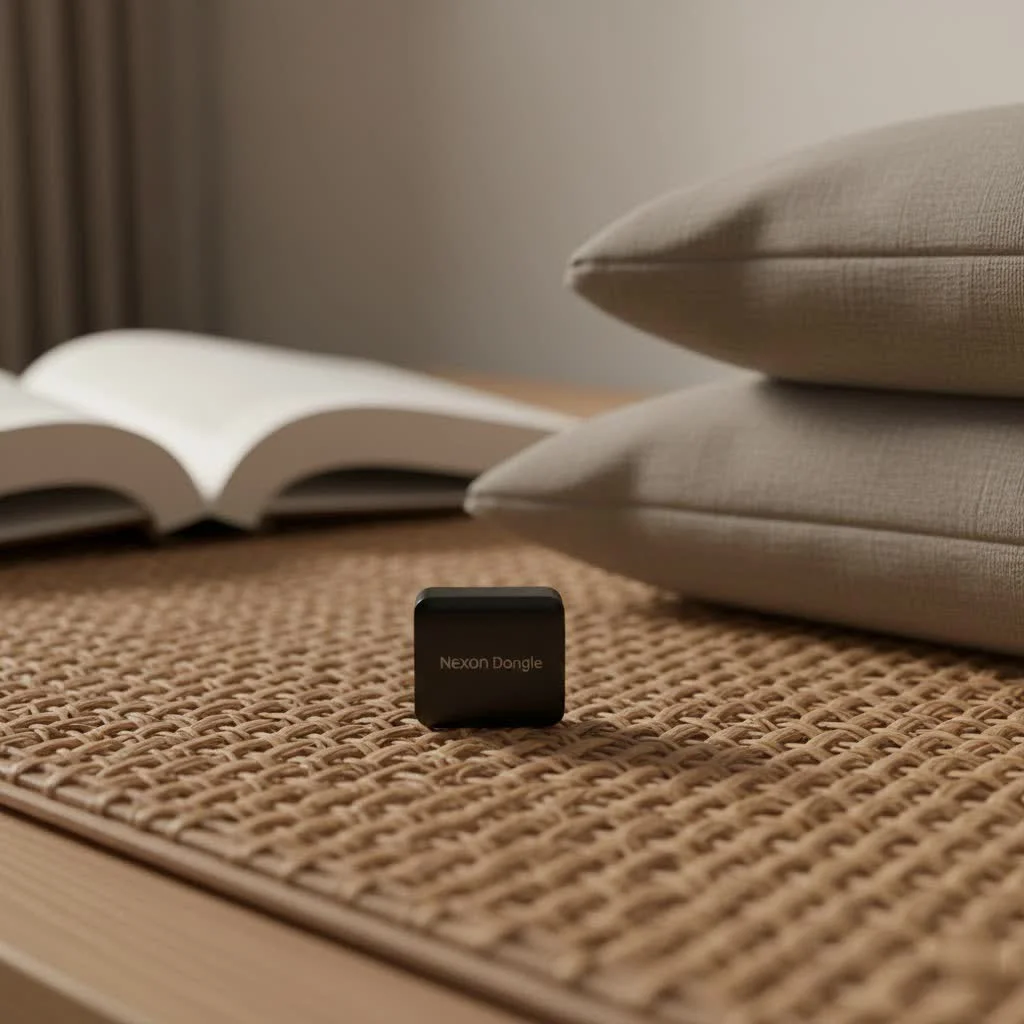
What Exactly is a Bluetooth Dongle for Your Car?
At its core, a Bluetooth dongle for your car is a small device designed to bridge the gap between your smartphone and your vehicle’s audio system. Think of it as a translator that allows your car to understand the wireless language of Bluetooth. Many vehicles, especially older models, came without integrated Bluetooth, leaving drivers tethered by auxiliary cables or limited to radio and CD players. A dongle simply plugs into an available port in your car, such as an AUX input, a USB port, or a 12V cigarette lighter, and instantly grants your car wireless capabilities. This means you can ditch the cables and enjoy a seamless connection for your audio and communication needs on the go. For expert bluetooth dongles reviews on this site.
Why Every Driver Needs a Bluetooth Dongle
The benefits of adding a Bluetooth dongle to your car are numerous, touching on everything from safety to sheer entertainment. For many, it’s about bringing modern convenience to an older vehicle.
Enhanced Safety with Hands-Free Calling
One of the most critical advantages is the ability to make and receive calls hands-free. Fumbling with your phone while driving is not only dangerous but also illegal in many places. A Bluetooth dongle, often equipped with a built-in microphone, allows you to chat with friends, family, or colleagues with both hands firmly on the wheel and your eyes focused on the road.
Seamless Music and Podcast Streaming
Are you tired of limited radio stations or a stack of old CDs? A Bluetooth dongle lets you stream music, podcasts, and audiobooks directly from your phone to your car’s speakers. Imagine curating your perfect road trip playlist or catching up on your favorite true-crime podcast without any wired hassle. It’s about having your personalized soundtrack wherever you go.
Clear GPS Navigation Audio
Gone are the days of squinting at your phone screen for directions or missing crucial turns because you couldn’t hear the voice prompts. With a Bluetooth dongle, your GPS navigation audio is streamed clearly through your car’s speakers, ensuring you never miss a beat – or a turn.
Cost-Effective Car Upgrade
|
Our Picks for the Best Bluetooth Dongle in 2026
As an Amazon Associate I earn from qualifying purchases.
|
||
| Num | Product | Action |
|---|---|---|
| 1 | TP-Link USB Bluetooth Adapter for PC - Bluetooth 5.4 Dongle Receiver, Plug and Play, Nano Design, EDR & BLE, Supports Windows 11/10/8.1/7 for Desktop, Laptop, Keyboard, Mouse, etc (UB500) |

|
| 2 | Avantree DG45 USB Bluetooth Adapter Dongle for PC, Computer, Desktop & Laptop, Compatible with Windows 11/10/8.1/8 Only - Connects Bluetooth Headphones, Speakers, Keyboards, Mice & Printers (Not 2.4G) |
|
| 3 | Fardriver Programmable Bluetooth Dongle for Fardriver Controller, Bluetooth Adapter Compatible with Fardriver E Bike Programming Module |
|
| 4 | Fardriver Programmable Wireless Adapter Dongle Fardriver Controller Programming Module |
|
| 5 | UGREEN USB Bluetooth 5.3 Adapter for PC, Plug & Play for Windows 11/10/8.1, Bluetooth Receiver & Transmitter for Keyboard/Mouse/Headphone/Speakers/Printer |
|
| 6 | TP-Link USB Bluetooth Adapter for PC, Bluetooth 5.3 Long Range Receiver, Plug and Play, Adjustable Antenna, Supports Windows 11/10/8.1/7 for Desktop, Laptop, Keyboard, Mouse, etc (UB500 Plus) |
|
| 7 | Ebike Programmable Bluetooth Dongle for Fardriver Controller,Bluetooth Adapter,Compatible with Soleil01 Electric Bicycles |
|
| 8 | Fardriver Bluetooth Dongle,Programmable Adapter,Bluetooth Dongle for Ebike Controller,Compatible with Fardriver Controller |
|
| 9 | ASUS USB-BT500 USB Adapter with Ultra Small Design, Bluetooth 5, Backward Compatible with Bluetooth®2.1/3.x/4.x, TAA Compliant (USB-BT500) |
|
| 10 | Fardriver Programmable Bluetooth Dongle Controller for E-Bike,Programmable Bluetooth Adapter Compatible with Fardriver E Bike |
|
Replacing an entire car stereo system with a Bluetooth-enabled one can be a costly affair. Bluetooth dongles offer an incredibly affordable alternative, providing similar wireless functionality at a fraction of the cost. It’s a smart, budget-friendly upgrade that delivers significant value.
“In my decade of experience, I’ve seen countless drivers transform their daily commute with just a simple Bluetooth dongle,” says Alex Nguyen, a veteran in wireless technology and content creator for Qisac.com. “It’s a small investment that yields huge returns in convenience and safety.”
Decoding the Types: Which Bluetooth Dongle is Right for You?
The world of Bluetooth dongles for cars isn’t one-size-fits-all. Different types cater to different car setups and driver preferences. Understanding the distinctions will help you pick the perfect match.
AUX-In Adapters: Direct Connection, Superior Sound
If your car stereo has an auxiliary (AUX) input jack, usually a 3.5mm port, an AUX-in Bluetooth adapter is often your best bet. These dongles plug directly into the AUX port, providing a wired connection for audio and then converting it to a wireless Bluetooth signal from your phone. This direct connection generally offers superior sound quality compared to other wireless methods, as it minimizes signal interference. They usually require a separate power source, often a USB port, to operate.
FM Transmitters: Universal Compatibility, but with Caveats
For cars that lack an AUX input or a convenient USB port, an FM transmitter Bluetooth dongle is a universal solution. These devices plug into your car’s 12V cigarette lighter socket for power and then transmit your phone’s audio via a low-power FM radio frequency. You simply tune your car’s radio to that specific unused frequency, and voilà – Bluetooth audio. While highly compatible with almost any car, FM transmitters can sometimes suffer from static or interference, especially in areas with many strong radio stations.
USB-Powered Adapters: Simplicity and Often Charging Power
Some Bluetooth dongles are designed to be powered directly by your car’s USB port. These can be straightforward receivers that simply enable Bluetooth audio through the USB connection, much like a USB flash drive. Many USB-powered adapters also double as car chargers, often featuring multiple USB ports with fast-charging capabilities, making them incredibly practical for keeping your devices juiced up on the road.
Wireless CarPlay/Android Auto Adapters: The Modern Upgrade
For drivers with newer cars that already have wired Apple CarPlay or Android Auto, there’s a specific type of dongle that converts these systems to wireless. These adapters plug into your car’s USB-A or USB-C port and use a combination of Bluetooth and Wi-Fi to establish a seamless wireless connection to your smartphone. This means you can get into your car and have your favorite navigation, music, and messaging apps appear on your dashboard screen without ever plugging in your phone. They offer the ultimate convenience for those who frequently use these smartphone integration features.
Installing Your Bluetooth Dongle: A Simple Step-by-Step
Getting your Bluetooth dongle up and running is usually a straightforward process. Here’s a general guide for the most common types:
For AUX-In Adapters:
- Plug it in: Connect the 3.5mm jack of the dongle into your car’s AUX input.
- Provide Power: Plug the dongle’s power cable (often USB) into a USB port in your car or a 12V adapter.
- Turn on Car Stereo and Select AUX: Switch your car stereo’s input source to AUX.
- Pair with Your Phone: On your phone, go to Bluetooth settings and search for new devices. Select your dongle (its name is usually on the device or in the manual) and pair. You might need to enter a PIN (e.g., “0000” or “1234”).
- Start Streaming!
For FM Transmitters:
- Plug into 12V Socket: Insert the FM transmitter into your car’s 12V power outlet (cigarette lighter).
- Find a Clear FM Frequency: The dongle will display an FM frequency. Tune your car radio to this exact frequency. Choose a frequency that is not used by any local radio stations to minimize interference.
- Pair with Your Phone: Enable Bluetooth on your phone, search for the device, and connect.
- Adjust Volume and Enjoy: Adjust the volume on both your phone and car stereo for optimal sound.
For USB Adapters:
- Plug into USB Port: Insert the USB Bluetooth dongle into an available USB port in your car.
- Select USB Input (if necessary): Some car stereos might require you to select the USB input source.
- Pair with Your Phone: Go to your phone’s Bluetooth settings, find the dongle, and connect.
- Ready to Go: You should now be able to stream audio.
Key Features to Look for Before Buying
With so many options available, here’s what to consider when choosing the best Bluetooth dongle for your car:
- Bluetooth Version: Aim for Bluetooth 5.0 or higher (e.g., 5.3). Newer versions offer better stability, increased range, faster pairing, and improved power efficiency, leading to a more reliable connection and potentially better audio quality.
- Audio Quality: Look for features like CVC (Clear Voice Capture) noise cancellation for calls and support for advanced audio codecs like aptX if your phone also supports it. This can significantly improve sound fidelity, especially for music.
- Hands-Free Calling: If phone calls are important, ensure the dongle has a high-quality built-in microphone for clear conversations. Some even offer intelligent noise reduction for calls.
- Power Source: Consider how the dongle is powered. Is it via USB, a 12V socket, or does it have a built-in rechargeable battery? USB-powered dongles that also offer charging ports are a popular choice.
- Multi-Device Pairing: For households with multiple drivers or phones, an adapter that supports connecting two devices simultaneously or easily switching between paired devices can be very convenient.
- Additional Features: Some advanced dongles include voice assistant integration (like Alexa), fast-charging USB ports (PD or QC), an LED display for frequency or status, or even a car locator function.
Troubleshooting Common Bluetooth Dongle Issues
Even the best technology can occasionally throw a curveball. Here are some common problems you might encounter with your car’s Bluetooth dongle and how to troubleshoot them:
Connection Drops & Pairing Problems
- Solution: First, try the classic “turn it off and on again” trick for both your phone and the car’s Bluetooth system. Delete old, unused Bluetooth profiles from both your phone and your car stereo’s memory to prevent conflicts. Ensure there’s no interference from other wireless devices (like Wi-Fi hotspots) in your car. Sometimes, moving your phone closer to the dongle can improve signal strength.
Poor Audio Quality
- Solution: If you hear static, crackling, or low volume, check your phone’s audio settings – ensure you’re using a high-quality audio profile if available. For FM transmitters, try finding a clearer, unused FM frequency. Ensure all cables are securely plugged in for AUX-in adapters. Outdated software on either your phone or the dongle can also impact quality, so keep everything updated.
Auto-Connect Failures
- Solution: Bluetooth systems are designed to reconnect automatically, but sometimes they get confused. Go into your car’s Bluetooth settings and prioritize your phone as the “favorite” device. Clearing old pairings and re-pairing your device from scratch can also resolve software bugs that prevent auto-connection.
No Sound
- Solution: If your phone is paired but no sound comes out, verify that your car stereo is set to the correct input mode (e.g., AUX, USB, or the specific FM frequency). Also, check that the volume levels on both your phone and car stereo are turned up. Sometimes, other apps on your phone might be “grabbing” the audio, so close unnecessary media or navigation apps.
Top Bluetooth Dongle Recommendations for Your Car
While specific models and brands evolve, some have consistently proven reliable for car Bluetooth functionality. For simple, high-quality audio streaming via AUX, brands like Anker and UGreen offer excellent options. If an FM transmitter is your only choice, Nulaxy is a popular choice known for strong connectivity and hands-free calling. For those seeking to upgrade wired CarPlay or Android Auto to wireless, devices like the AAWireless or Carlinkit are highly regarded for their robust performance and ease of use. The Amazon Echo Auto 2 stands out for drivers who want to integrate Alexa voice commands into their vehicle.
Conclusion
A Bluetooth dongle for your car is an ingenious and accessible solution for modernizing your driving experience. Whether you’re aiming for safer, hands-free calls, uninterrupted music streaming, or clear navigation prompts, these compact devices deliver immense value. By understanding the different types, considering key features, and knowing how to troubleshoot common issues, you can confidently choose and install the perfect Bluetooth dongle to enhance every journey. So, go ahead, unplug, pair up, and enjoy the freedom of wireless connectivity on the open road. Your car – and your ears – will thank you for it!
Pet products vetted on real animals
Practical specs, not advice. Unsubscribe anytime.