Ever wished you could enjoy your favorite TV shows or movies with personal headphones without disturbing anyone, or blast your TV’s audio through a powerful Bluetooth speaker? You’re not alone! Many of us face the common challenge of a TV that lacks built-in Bluetooth functionality, or perhaps its integrated Bluetooth just isn’t cutting it. This is precisely where a Bluetooth dongle for TV comes to the rescue, transforming your viewing experience from good to absolutely fantastic.
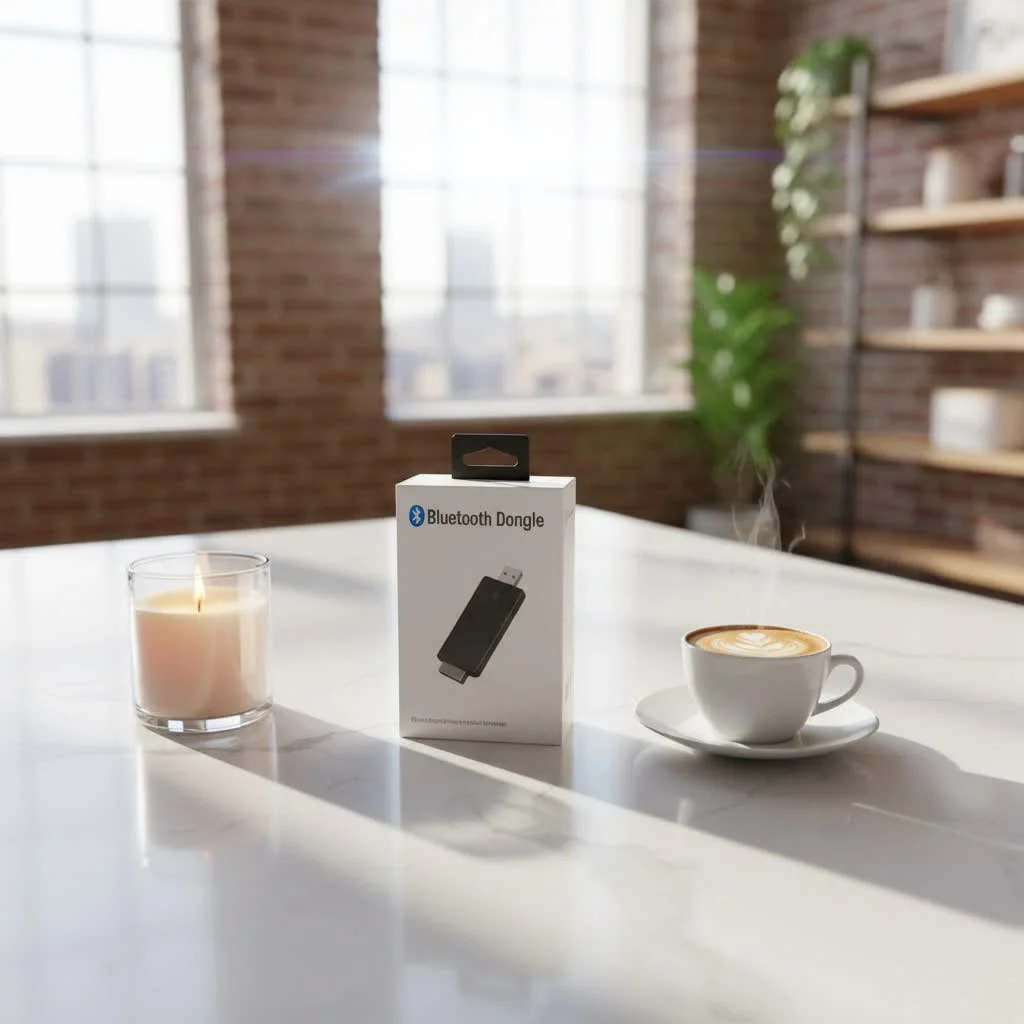
As a seasoned expert in the world of Bluetooth technology and a content creator for qisac.com, I’ve spent over a decade diving deep into wireless solutions. I’m here to tell you that adding Bluetooth to your TV, whether it’s an older model or a newer smart TV with unreliable built-in features, is simpler than you think. This comprehensive guide will walk you through everything you need to know about choosing, installing, and troubleshooting a Bluetooth dongle for TV, ensuring you make an informed decision for seamless wireless audio.
What is a Bluetooth Dongle for TV and How Does It Work?
At its core, a Bluetooth dongle for TV is a small, portable device that adds Bluetooth connectivity to your television. Think of it as a translator that allows your TV to “speak” the same wireless language as your Bluetooth headphones, speakers, or even game controllers.
These dongles typically operate in one of two modes, or sometimes both:
- Transmitter Mode (TX): This is the most common use for a TV. The dongle takes audio from your TV’s output port and transmits it wirelessly to a Bluetooth receiving device, like your headphones or a Bluetooth soundbar.
- Receiver Mode (RX): Less common for TV primary use, but useful if you want to stream audio from your phone to your TV’s speakers (via the dongle) or an older stereo system.
When connected to your TV, usually through an audio output port and powered via USB, the dongle broadcasts a Bluetooth signal. Your headphones or speakers then pair with this signal, enabling wireless audio transmission. It’s like magic, but it’s pure, clever engineering!
Why You Might Need a Bluetooth Dongle for Your TV
The reasons for wanting a Bluetooth dongle for TV are as diverse as our viewing habits. Here are some of the most compelling:
Private Listening for Peace and Quiet
Imagine watching a late-night thriller without worrying about waking up the kids or your partner. A Bluetooth dongle lets you connect your wireless headphones, providing a personal, immersive audio experience. It’s perfect for shift workers, shared living spaces, or simply when you want to fully lose yourself in your content without distractions.
Elevate Your Audio Experience
|
Our Picks for the Best Bluetooth Dongle in 2026
As an Amazon Associate I earn from qualifying purchases.
|
||
| Num | Product | Action |
|---|---|---|
| 1 | Fardriver Programmable Bluetooth Dongle Controller for E-Bike,Programmable Bluetooth Adapter Compatible with Fardriver E Bike |

|
| 2 | Fardriver Programmable Wireless Adapter Dongle Fardriver Controller Programming Module |
|
| 3 | TP-Link USB Bluetooth Adapter for PC, Bluetooth 5.3 Long Range Receiver, Plug and Play, Adjustable Antenna, Supports Windows 11/10/8.1/7 for Desktop, Laptop, Keyboard, Mouse, etc (UB500 Plus) |
|
| 4 | Ebike Programmable Bluetooth Dongle for Fardriver Controller,Bluetooth Adapter,Compatible with Soleil01 Electric Bicycles |
|
| 5 | ASUS USB-BT500 USB Adapter with Ultra Small Design, Bluetooth 5, Backward Compatible with Bluetooth®2.1/3.x/4.x, TAA Compliant (USB-BT500) |
|
| 6 | UGREEN USB Bluetooth 5.3 Adapter for PC, Plug & Play for Windows 11/10/8.1, Bluetooth Receiver & Transmitter for Keyboard/Mouse/Headphone/Speakers/Printer |
|
| 7 | Avantree DG45 USB Bluetooth Adapter Dongle for PC, Computer, Desktop & Laptop, Compatible with Windows 11/10/8.1/8 Only - Connects Bluetooth Headphones, Speakers, Keyboards, Mice & Printers (Not 2.4G) |
|
| 8 | TP-Link USB Bluetooth Adapter for PC - Bluetooth 5.4 Dongle Receiver, Plug and Play, Nano Design, EDR & BLE, Supports Windows 11/10/8.1/7 for Desktop, Laptop, Keyboard, Mouse, etc (UB500) |
|
| 9 | Fardriver Programmable Bluetooth Dongle for Fardriver Controller, Bluetooth Adapter Compatible with Fardriver E Bike Programming Module |
|
| 10 | Fardriver Bluetooth Dongle,Programmable Adapter,Bluetooth Dongle for Ebike Controller,Compatible with Fardriver Controller |
|
Let’s be honest, built-in TV speakers often leave much to be desired. If your TV lacks native Bluetooth but you own a fantastic Bluetooth speaker or soundbar, a dongle bridges that gap. You can easily connect your high-quality audio system wirelessly, dramatically improving sound clarity and richness for movies, music, and games.
Breathing New Life into Older TVs
Many older televisions, while still perfectly functional, predate widespread Bluetooth integration. A Bluetooth dongle for TV is an inexpensive way to modernize these sets, allowing them to communicate with contemporary wireless accessories and extending their useful life.
Enhancing Smart TV Capabilities (or Compensating for Flaws)
Even some modern smart TVs, despite having built-in Bluetooth, can suffer from connectivity issues, limited codec support, or frustrating audio lag. An external dongle can often provide a more stable connection, better audio quality, and crucial low-latency performance.
Choosing the Right Bluetooth Dongle for Your TV: Key Factors
Selecting the perfect Bluetooth dongle for TV isn’t just about picking the first one you see. It involves considering several technical specifications to ensure compatibility and optimal performance.
Transmitter vs. Receiver Functionality
First, clarify your primary need. For connecting headphones or speakers to your TV, you need a Bluetooth transmitter. Many dongles offer both TX (transmit) and RX (receive) modes, providing greater versatility. Ensure the device you choose explicitly states “transmitter” or “TX mode” if your goal is outbound audio from the TV.
Bluetooth Version: The Higher, The Better
Look for dongles with newer Bluetooth versions (e.g., Bluetooth 5.0, 5.2, 5.3, or 5.4). Newer versions offer several advantages:
- Greater Range: You can move further from your TV without losing connection. Bluetooth 5.0, for instance, offers significantly improved range compared to older versions.
- Increased Speed and Bandwidth: Better for high-quality audio transmission.
- Improved Power Efficiency: Important if the dongle relies on its own battery.
- Enhanced Stability: More reliable connections with fewer dropouts.
Audio Codecs: The Secret to No Lag
This is perhaps the most critical factor for a Bluetooth dongle for TV, especially for video content. Standard Bluetooth codecs like SBC can introduce noticeable audio lag (lip-sync issues). To combat this, look for dongles that support aptX Low Latency (aptX LL). This specialized codec drastically reduces audio delay, ensuring that what you see on screen is perfectly synchronized with what you hear.
Expert Insight: “When selecting a Bluetooth dongle for TV, always prioritize aptX Low Latency if you’ll be watching videos,” advises Dr. Anya Sharma, a leading wireless audio engineer. “Without it, even the best headphones can’t compensate for the inherent delay, leading to a frustrating viewing experience.”
Remember, for aptX LL to work, both your Bluetooth dongle and your receiving device (headphones, speaker) must support it. If only one does, they will default to a common, often higher-latency, codec.
Connectivity Options: Matching Your TV’s Ports
Your TV’s available audio output ports will dictate the type of dongle you need. Common options include:
- 3.5mm AUX Jack (Headphone Port): Found on many TVs, especially older models. This is a straightforward analog connection.
- RCA (Red and White Audio Ports): Another common analog output, often paired with a yellow video port on older TVs.
- Optical (TOSLINK / SPDIF): A digital audio output, prevalent on most modern TVs, offering high-quality sound. You’ll need a dongle with an optical input or an optical-to-analog converter.
- USB: While many dongles are powered via USB, some can also transmit audio directly through a USB data connection, though this is less common for TVs as an audio output. Most USB dongles are for PCs. For TV, USB typically provides power.
Choose a dongle that comes with the appropriate cables or has the necessary ports to connect to your TV. Many versatile dongles offer multiple input options.
Power Source: Convenience Matters
Most Bluetooth dongles for TV are powered via a USB port, often directly from your TV’s USB port. Some models may have an integrated battery, offering portability, but requiring periodic recharging. USB-powered dongles are generally more convenient for a static TV setup as they draw power directly when the TV is on.
Range and Antenna: Keep the Signal Strong
The typical range for Bluetooth is about 33 feet (10 meters). However, factors like walls, furniture, and other wireless devices can reduce this. Some dongles feature external antennas or Class 1 Bluetooth technology to extend range, which can be beneficial in larger rooms or when you plan to move around.
Multi-Device Support: Share the Sound
Do you want to connect two pairs of headphones simultaneously for shared viewing? Some advanced Bluetooth dongles for TV offer “dual-link” or “multi-pairing” functionality, allowing you to stream audio to two Bluetooth devices at once. This is a fantastic feature for couples or families.
Step-by-Step Guide: Setting Up Your Bluetooth Dongle for TV
Getting your Bluetooth dongle for TV up and running is typically a simple process. Here’s a general guide:
Step 1: Identify Your TV’s Audio Output
Before you even touch the dongle, check the back or side of your TV for available audio output ports. Look for:
- A 3.5mm headphone jack.
- Red and white RCA “Audio Out” ports.
- A square or circular optical/TOSLINK port.
Step 2: Connect the Dongle to Your TV
- For 3.5mm AUX: Plug one end of the 3.5mm audio cable into your TV’s headphone jack and the other into the dongle’s audio input.
- For RCA: Use an RCA-to-3.5mm cable (if your dongle has a 3.5mm input) or a dongle with direct RCA inputs. Connect the red and white plugs to the corresponding “Audio Out” ports on your TV.
- For Optical: Connect an optical audio cable from your TV’s optical output to the dongle’s optical input. This usually provides the best digital audio quality.
- Power: Plug the dongle’s USB power cable into an available USB port on your TV or a USB wall adapter. The dongle will usually light up, indicating it’s powered on.
Step 3: Configure Your TV Audio Settings
This step is crucial. Go into your TV’s audio settings menu and select the correct audio output.
- If using the 3.5mm jack or RCA, you might need to select “Headphone,” “External Speakers,” or “Analog Audio Out.”
- If using the optical port, choose “Optical Out” or “Digital Audio Out.”
- Sometimes, plugging into the headphone jack will automatically mute your TV’s internal speakers. With RCA or optical, you might need to manually disable internal speakers if you don’t want audio playing from both.
Step 4: Put the Dongle into Pairing Mode
Most dongles have a dedicated pairing button or a power button that doubles as a pairing trigger (often a long press). Once pressed, indicator lights on the dongle will usually flash rapidly, signaling it’s ready to pair.
Step 5: Pair Your Bluetooth Device
Now, put your Bluetooth headphones or speakers into their own pairing mode (refer to their specific manual). Place them close to the dongle. They should detect each other and connect automatically. The dongle’s indicator light will typically become solid or flash slowly once paired.
Once paired, try playing something on your TV. You should hear the audio through your connected Bluetooth device!
Troubleshooting Common Issues with Bluetooth Dongles on TV
Even with the best Bluetooth dongle for TV, you might occasionally encounter hiccups. Here’s how to tackle some common problems:
No Audio or Poor Sound Quality
- Check all physical connections: Ensure cables are firmly plugged into both the TV and the dongle.
- Verify TV audio output settings: Double-check that your TV is set to output audio through the correct port (e.g., optical, AUX).
- Dongle in TX mode: Make sure your dongle is set to “transmitter” mode if it’s a 2-in-1 device.
- Volume levels: Check the volume on your TV, the dongle (if it has controls), and your Bluetooth headphones/speakers.
- Codec mismatch: If sound quality is poor, ensure both devices support the same high-quality codecs.
Audio Lag / Lip-Sync Problems
This is often the most frustrating issue.
- aptX Low Latency: As mentioned, this is your best defense. If you’re experiencing lag, confirm both your dongle and headphones support aptX LL. If they don’t, upgrading might be necessary.
- Reposition the dongle: Keep the dongle and your Bluetooth device within direct line of sight if possible, and away from other wireless interference (Wi-Fi routers, microwaves).
- Restart devices: Sometimes a simple power cycle of the TV, dongle, and Bluetooth device can resolve minor synchronization glitches.
- TV audio delay settings: Some advanced TVs have a “lip-sync” or “audio delay” adjustment in their sound settings that you can tweak.
Device Not Pairing
- Pairing mode: Ensure both the dongle and your Bluetooth headphones/speakers are actively in pairing mode.
- Proximity: Keep devices close during the initial pairing process.
- Clear previous pairings: If your headphones were previously paired with another device (like a phone), they might try to connect to that instead. Turn off Bluetooth on other nearby devices or clear the pairing history on your headphones/speakers.
- Interference: Temporarily move away from other electronics that might cause signal interference.
Short Range or Dropped Connections
- Obstacles: Walls, large furniture, and even people can block Bluetooth signals. Try to minimize obstructions.
- Dongle placement: Place the dongle in an open area, ideally on the same side of the room as your listening device, or use an extension cable for better positioning.
- Bluetooth version: Older Bluetooth versions might naturally have a shorter range. If range is a consistent issue, consider a dongle with Bluetooth 5.0 or higher.
Top Bluetooth Dongle Brands and Products for TV (General Recommendations)
While specific models change rapidly, certain brands consistently offer reliable and feature-rich Bluetooth dongles for TV. Look for manufacturers known for their audio accessories and wireless technology.
Brands like Avantree, 1Mii, and UGREEN are often highlighted in tech reviews for their commitment to quality, low-latency audio, and broad compatibility. When researching products, pay attention to these key features, regardless of the brand:
- Support for aptX Low Latency (and ideally aptX HD for higher quality).
- Multiple audio input options (3.5mm, RCA, Optical).
- Latest Bluetooth version (5.0 or higher) for stability and range.
- Dual-link capability for connecting two headphones simultaneously.
- User-friendly interface and clear indicator lights.
- Reliable power source (typically USB-powered for convenience).
Investing in a slightly higher-priced dongle from a reputable brand can often save you headaches down the line with superior performance and fewer connectivity issues.
Frequently Asked Questions about Bluetooth Dongles for TV
Q1: Can any Bluetooth dongle work with my TV?
A1: Not just any dongle will do. You need a Bluetooth transmitter specifically designed for TV audio, often supporting various input methods like 3.5mm AUX, RCA, or optical. Generic USB Bluetooth dongles are typically for computers to connect peripherals and won’t work as an audio transmitter for your TV.
Q2: Will a Bluetooth dongle for TV introduce audio delay?
A2: Standard Bluetooth can introduce noticeable audio delay. To avoid this, look for a Bluetooth dongle for TV that supports the aptX Low Latency (aptX LL) codec. Both your dongle and your Bluetooth headphones/speakers must support aptX LL for it to work effectively.
Q3: Can I connect multiple Bluetooth headphones to my TV using a dongle?
A3: Yes, many advanced Bluetooth dongles for TV support “dual-link” or “multipoint” connections, allowing you to pair and stream audio to two pairs of Bluetooth headphones simultaneously. Check the product specifications for this feature.
Q4: How do I power a Bluetooth dongle for my TV?
A4: Most Bluetooth dongles for TV are powered via a standard USB cable. You can usually plug this cable into an available USB port on your TV, or use a USB wall adapter if your TV lacks a spare port or if the dongle requires more power.
Q5: Is a Bluetooth dongle easy to install?
A5: Absolutely! Installing a Bluetooth dongle for TV is generally a plug-and-play process. You connect it to your TV’s audio output, provide power, put both the dongle and your Bluetooth device into pairing mode, and they connect. Minimal configuration in your TV’s audio settings may be required.
Q6: Can I use a Bluetooth dongle with an old TV that has no USB port?
A6: Yes, many older TVs lack USB ports but still have 3.5mm AUX or RCA audio output ports. In this case, you would connect the dongle via these audio ports and power it using a separate USB wall adapter, rather than drawing power from the TV itself.
Q7: What’s the difference between a Bluetooth transmitter and receiver for TV?
A7: A Bluetooth transmitter sends audio from your TV to Bluetooth headphones/speakers. A Bluetooth receiver takes audio from a Bluetooth source (like your phone) and sends it to a non-Bluetooth audio system (like an old stereo). Many modern dongles are 2-in-1, offering both modes.
Final Thoughts: Your Gateway to Wireless TV Audio Freedom
Embracing the convenience of wireless audio for your television doesn’t have to be a daunting task. A quality Bluetooth dongle for TV is a powerful yet simple device that unlocks a world of private listening, enhanced sound, and modern connectivity, even for your trusty old set.
By understanding your TV’s connections, prioritizing low-latency codecs, and choosing a dongle from a reputable brand, you can confidently transform your home entertainment experience. Don’t let tangled cables or inadequate sound hold you back any longer. Dive into the world of wireless TV audio and rediscover your favorite content with unparalleled clarity and freedom. Explore the possibilities and find the perfect Bluetooth dongle for TV that fits your lifestyle today!
Pet products vetted on real animals
Practical specs, not advice. Unsubscribe anytime.