Are you tired of being tethered to your television with cumbersome audio cables? Perhaps you’re looking to enjoy your favorite shows and movies with private, immersive sound, or maybe you simply want to connect a wireless gamepad without the hassle. If your TV lacks built-in Bluetooth, a Bluetooth USB dongle for TV can be an absolute game-changer, transforming your viewing experience. As a seasoned expert in wireless technology and a content creator for Qisac.com, I’m here to demystify these handy gadgets and guide you through everything you need to know.
What Exactly is a Bluetooth USB Dongle for TV?
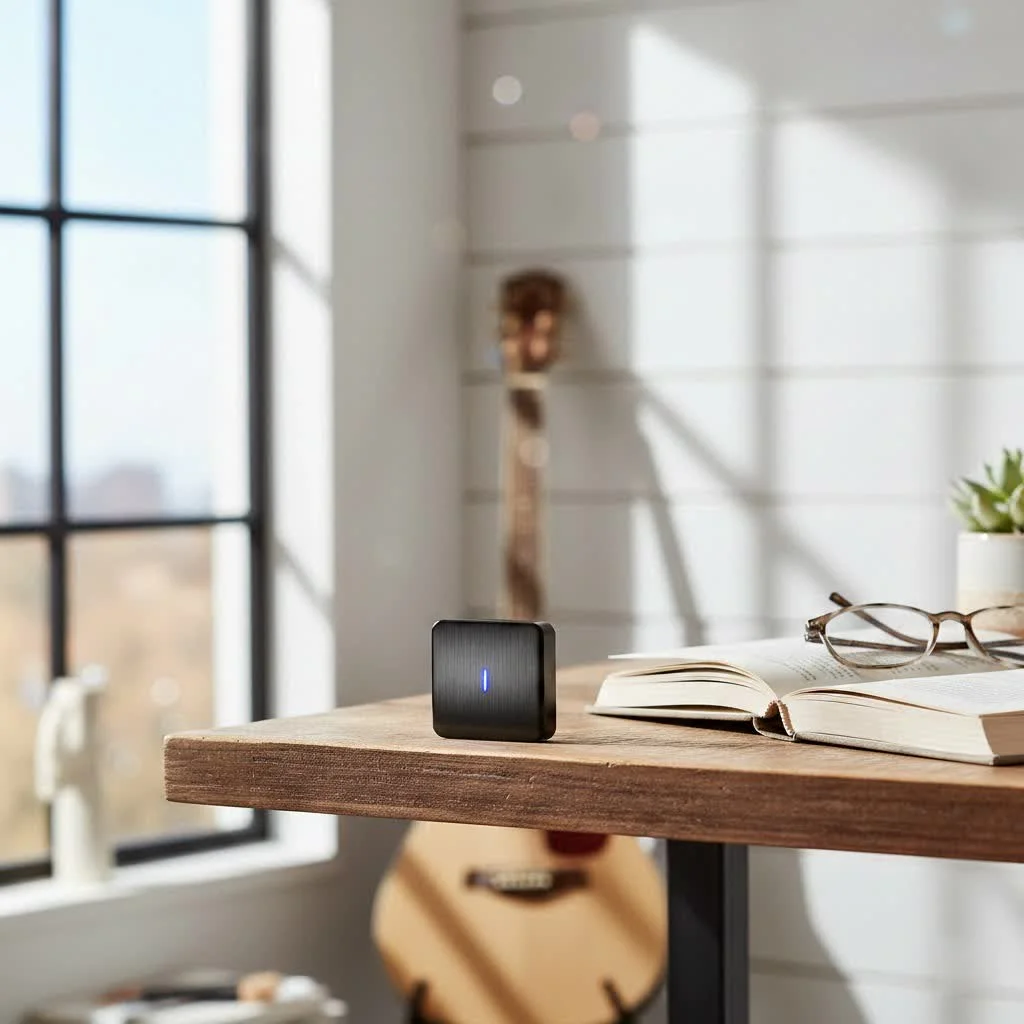
When we talk about a “Bluetooth USB dongle for TV,” we’re primarily referring to a Bluetooth audio transmitter that connects to your television via a USB port, often also utilizing an audio output port. Unlike the small USB dongles you might use to add Bluetooth to a computer, these devices are specifically designed to transmit audio from your TV to Bluetooth-enabled headphones, speakers, or soundbars. They bridge the gap between your TV’s audio output and your wireless devices, allowing you to cut the cords and enjoy crystal-clear sound wirelessly.
The core purpose of these adapters is to enable wireless audio streaming. Imagine watching a late-night movie without disturbing anyone else in the house, or amplifying your TV’s sound through powerful Bluetooth speakers for a truly cinematic feel. A Bluetooth USB dongle for TV makes these scenarios a seamless reality.
How to Choose the Right Bluetooth USB Dongle for Your TV
Selecting the perfect Bluetooth USB dongle for your television involves a few key considerations. Not all dongles are created equal, and understanding these factors will ensure you pick a device that truly enhances your setup.
TV Compatibility and Audio Outputs
First things first, does your TV even need a Bluetooth dongle? Many modern smart TVs come with integrated Bluetooth. A quick way to check is to see if your TV came with a Smart Remote, as these often pair via Bluetooth. Alternatively, delve into your TV’s ‘Sound Settings’ menu; if you find an option like ‘Bluetooth Speaker List,’ your TV likely supports Bluetooth natively.
If your TV doesn’t have built-in Bluetooth, don’t fret! A Bluetooth USB dongle for TV is your go-to solution. You’ll need to identify the available audio output ports on your TV. Common options include:
- 3.5mm AUX Jack: The standard headphone jack.
- RCA Ports (Red/White): Analog stereo audio outputs, usually found on older TVs.
- Optical (TOSLINK) Digital Output: A common digital audio output, offering high-quality sound.
- USB Port: Primarily for power, but some advanced transmitters can also receive audio through USB (though less common for TVs).
- HDMI ARC (Audio Return Channel): Some high-end Bluetooth transmitters can connect via HDMI ARC for advanced audio control, though traditional USB dongles typically don’t.
Most Bluetooth USB dongles for TV will come with cables or adapters for 3.5mm, RCA, or Optical connections, so match the dongle’s input options to your TV’s outputs.
Bluetooth Version: The Higher, The Better
|
Our Picks for the Best Bluetooth Dongle in 2026
As an Amazon Associate I earn from qualifying purchases.
|
||
| Num | Product | Action |
|---|---|---|
| 1 | Fardriver Bluetooth Dongle,Programmable Adapter,Bluetooth Dongle for Ebike Controller,Compatible with Fardriver Controller |

|
| 2 | Fardriver Programmable Bluetooth Dongle Controller for E-Bike,Programmable Bluetooth Adapter Compatible with Fardriver E Bike |
|
| 3 | UGREEN USB Bluetooth 5.3 Adapter for PC, Plug & Play for Windows 11/10/8.1, Bluetooth Receiver & Transmitter for Keyboard/Mouse/Headphone/Speakers/Printer |
|
| 4 | Fardriver Programmable Wireless Adapter Dongle Fardriver Controller Programming Module |
|
| 5 | Avantree DG45 USB Bluetooth Adapter Dongle for PC, Computer, Desktop & Laptop, Compatible with Windows 11/10/8.1/8 Only - Connects Bluetooth Headphones, Speakers, Keyboards, Mice & Printers (Not 2.4G) |
|
| 6 | ASUS USB-BT500 USB Adapter with Ultra Small Design, Bluetooth 5, Backward Compatible with Bluetooth®2.1/3.x/4.x, TAA Compliant (USB-BT500) |
|
| 7 | TP-Link USB Bluetooth Adapter for PC - Bluetooth 5.4 Dongle Receiver, Plug and Play, Nano Design, EDR & BLE, Supports Windows 11/10/8.1/7 for Desktop, Laptop, Keyboard, Mouse, etc (UB500) |
|
| 8 | Fardriver Programmable Bluetooth Dongle for Fardriver Controller, Bluetooth Adapter Compatible with Fardriver E Bike Programming Module |
|
| 9 | Ebike Programmable Bluetooth Dongle for Fardriver Controller,Bluetooth Adapter,Compatible with Soleil01 Electric Bicycles |
|
| 10 | TP-Link USB Bluetooth Adapter for PC, Bluetooth 5.3 Long Range Receiver, Plug and Play, Adjustable Antenna, Supports Windows 11/10/8.1/7 for Desktop, Laptop, Keyboard, Mouse, etc (UB500 Plus) |
|
Look for a Bluetooth USB dongle for TV with a modern Bluetooth version (e.g., Bluetooth 5.0, 5.2, 5.3, or 5.4). Newer versions offer several advantages:
- Improved Range: Enjoy your audio from further away from the TV.
- Enhanced Stability: More reliable connections with fewer dropouts.
- Better Power Efficiency: Crucial for battery-powered dongles, though most TV dongles are USB-powered.
- Faster Data Transfer: Leading to quicker pairing and potentially better audio quality.
While a Bluetooth 5.0 dongle is generally sufficient, higher versions provide a more robust and future-proof connection.
Low Latency: No More Lip-Sync!
This is perhaps the most critical feature for a Bluetooth USB dongle for TV, especially if you watch movies or play games. Latency refers to the delay between the audio and video. Standard Bluetooth can sometimes introduce noticeable lag, leading to annoying lip-sync issues where the audio doesn’t match the on-screen action.
To combat this, look for dongles that support aptX Low Latency, aptX HD, or aptX Adaptive codecs. These advanced audio codecs significantly reduce latency, ensuring your sound is perfectly synchronized with your video. For the best experience, ensure that both your Bluetooth USB dongle and your Bluetooth headphones or speakers support the same low-latency codec. “When it comes to a smooth, uninterrupted viewing experience, investing in a Bluetooth USB dongle with aptX Low Latency is non-negotiable. It’s the difference between truly immersive sound and distracting audio delays,” advises Sophia Tran, a Bluetooth Specialist at Qisac.com.
Dual Pairing and Multi-Device Support
Want to share your TV’s audio with a friend or family member? Many Bluetooth USB dongles for TV support dual pairing, allowing you to connect two sets of Bluetooth headphones or speakers simultaneously. This is a fantastic feature for couples or families who enjoy watching content together without disturbing others.
Power Source and Additional Features
Most Bluetooth USB dongles for TV draw power directly from your TV’s USB port, eliminating the need for extra power outlets or batteries. Some portable units might have integrated batteries, which can be useful if your TV lacks available USB ports or if you want to use the dongle with other devices.
Look out for additional features like:
- Volume Control: Some dongles have independent volume controls, useful if your connected headphones lack them.
- Bypass Mode: Allows you to switch between wireless audio and your TV’s internal speakers without unplugging the dongle.
- LCD Screen: Provides visual feedback on connection status and paired devices.
- Long Range: Adapters with external antennas can offer extended range, useful in larger rooms.
Step-by-Step Installation: Connecting Your Bluetooth USB Dongle to Your TV
Setting up your Bluetooth USB dongle for TV is typically a straightforward process. Follow these steps to get your wireless audio up and running.
1. Check Your TV’s Audio Outputs
Before you even plug anything in, take a moment to locate the audio output ports on your television. As discussed, this could be a 3.5mm headphone jack, red and white RCA jacks, or a digital optical (TOSLINK) port. Knowing what you have will help you choose the correct cable or adapter that comes with your dongle.
2. Connect the Dongle to Your TV
- Power Connection: Plug the USB end of the Bluetooth dongle into any available USB port on your TV. This typically provides power to the dongle.
- Audio Connection: Connect the appropriate audio cable from your Bluetooth dongle to your TV’s audio output port.
- For a 3.5mm jack, use a 3.5mm to 3.5mm audio cable.
- For RCA ports, use an RCA to 3.5mm cable (often included).
- For an Optical port, use a TOSLINK optical cable.
3. Adjust Your TV’s Audio Settings (If Necessary)
Many TVs automatically detect external audio devices, but some might require a manual adjustment:
- Go to your TV’s ‘Settings’ menu, then navigate to ‘Sound’ or ‘Audio Output.’
- Select the input where your dongle is connected (e.g., ‘Optical Output,’ ‘External Speakers,’ or ‘Audio Out’).
- If using an optical connection, you may need to set the audio format to ‘PCM’ (Pulse Code Modulation), as some dongles don’t support Dolby Digital or DTS.
4. Pair Your Bluetooth Device
Now for the magic! It’s time to connect your headphones or speakers.
- Put the Dongle in Pairing Mode: Most Bluetooth dongles have a dedicated pairing button. Press and hold it until an indicator light (often blinking blue or red/blue) signals that it’s in pairing mode.
- Put Your Bluetooth Device in Pairing Mode: Refer to your headphones’ or speakers’ manual for specific instructions, but generally, you’ll press and hold a power or Bluetooth button until they enter pairing mode.
- Connect: Keep your Bluetooth device close to the dongle. They should automatically detect and pair with each other within a few seconds. The dongle’s indicator light will usually turn solid to confirm a successful connection.
5. Test the Audio
Play some content on your TV and confirm that the audio is now streaming through your connected Bluetooth headphones or speakers. Adjust the volume as needed on both your TV (if it affects the output to the dongle) and your Bluetooth device.
Troubleshooting Common Bluetooth USB Dongle Issues with TVs
Even with the best Bluetooth USB dongle for TV, you might encounter a hiccup or two. Here’s how to tackle common problems:
No Sound or Intermittent Connection
- Check All Connections: Ensure the USB cable is firmly plugged in for power, and the audio cable is securely connected to both the dongle and the correct audio output on your TV.
- Verify Pairing: Confirm that your dongle and Bluetooth device are still paired. If not, re-enter pairing mode for both.
- Check Range: Bluetooth signals have limitations, typically around 33 feet (10 meters). Ensure your headphones/speakers are within range and there are no major obstructions.
- TV Audio Settings: Double-check your TV’s audio output settings. For optical connections, ensure ‘PCM’ is selected.
- Power Cycle: Try turning off and on both the Bluetooth dongle and your headphones/speakers, and even your TV. A simple restart can often resolve minor glitches.
Lip-Sync Delay (Audio Lag)
- AptX Low Latency: If you’re experiencing noticeable lag, revisit whether both your Bluetooth USB dongle for TV and your receiving device support aptX Low Latency. If not, upgrading one or both might be necessary for optimal performance.
- Alternative Codecs: Some dongles allow you to switch between different audio codecs. Experiment if your device offers this.
TV Speakers Remain On
- Some televisions don’t automatically mute their internal speakers when an external audio device is connected via the headphone jack or RCA outputs. Check your TV’s sound settings for an option to ‘Mute Internal Speakers’ or ‘Speakers Off’ when using external audio. If no such option exists, you might have to manually lower the TV’s volume to zero.
Dongle Not Detected / Auto Music Player Activation
- TV Software Update: Ensure your TV’s firmware is up to date, as updates can sometimes resolve compatibility issues.
- Try Different USB Ports: If your TV has multiple USB ports, try plugging the dongle into a different one.
- USB Audio vs. Audio Transmitter: Some TVs might interpret a generic USB Bluetooth dongle as a media storage device or try to launch a music player, especially if the dongle is not primarily an audio transmitter. For dedicated audio transmission, using the 3.5mm, RCA, or Optical ports for audio input to the dongle, while USB provides power, is generally more reliable. If a music player automatically launches, try exiting it and re-checking your TV’s audio output settings.
Top Features to Look For
While specific product recommendations can change rapidly, here are the key features and characteristics that define the best Bluetooth USB dongles for TV:
- Bluetooth 5.0 or Higher: For reliable connection, range, and efficiency.
- AptX Low Latency (or Adaptive/HD): Essential for eliminating audio lag and ensuring lip-sync.
- Multiple Audio Inputs: Versatility with 3.5mm, RCA, and Optical options for broad TV compatibility.
- Dual Pairing Capability: Ideal for sharing the audio experience.
- USB Powered: For convenience and continuous operation.
- Good Build Quality and Stable Performance: Look for brands known for reliable audio accessories.
Frequently Asked Questions
Can I use any USB Bluetooth dongle with my TV?
No, not just any. Standard USB Bluetooth dongles are designed to add Bluetooth to computers. For TVs, you need a Bluetooth audio transmitter, which often comes in a USB-powered form factor and connects to your TV’s audio output ports (3.5mm, RCA, or optical) to send sound wirelessly.
Do I need drivers for a Bluetooth USB dongle for TV?
Generally, no. Most Bluetooth audio transmitters designed for TVs are “plug-and-play” and do not require specific driver installations from your television. They rely on the TV’s existing audio output system.
Will a Bluetooth dongle mute my TV’s internal speakers?
It depends on your TV model. Some TVs automatically mute internal speakers when an external audio source is connected. Others may require you to manually turn down the TV’s volume or select an option in the sound settings to disable internal speakers.
What is aptX Low Latency and why is it important for TV?
aptX Low Latency is an audio codec that significantly reduces the delay (latency) in Bluetooth audio transmission. It’s crucial for TV viewing because it ensures that the audio remains perfectly synchronized with the video, preventing distracting lip-sync issues during movies, shows, or games.
How far can I be from my TV with a Bluetooth dongle?
Most Bluetooth USB dongles offer a typical range of about 33 feet (10 meters) in open space. However, walls, interference, and the specific Bluetooth version can affect this range.
Can I connect multiple Bluetooth devices to my TV with one dongle?
Yes, many Bluetooth audio transmitters, especially those designed for TV use, support “dual pairing,” allowing you to connect two sets of Bluetooth headphones or speakers simultaneously to the same dongle.
My TV has a USB port, does that mean it supports Bluetooth dongles for audio?
Having a USB port means it can power a USB Bluetooth dongle. However, it doesn’t automatically mean the TV will accept audio input from a generic USB Bluetooth dongle or allow it to function as a wireless audio transmitter without an additional audio cable connection (3.5mm, RCA, or optical). The USB port primarily provides power, while a separate audio connection is typically required for transmission.
Conclusion
A Bluetooth USB dongle for TV is a simple yet powerful solution for enhancing your home entertainment setup, providing the freedom of wireless audio that many modern TVs lack. By understanding the different types, key features like low latency, and straightforward installation steps, you can confidently choose the perfect device to unlock a world of immersive, cord-free sound. Whether it’s for late-night movie sessions, gaming, or simply enjoying your favorite tunes, optimizing your TV’s audio with a Bluetooth USB dongle will elevate your experience. Don’t hesitate to explore the possibilities and transform your TV’s sound today – you’ll wonder how you ever lived without it!
Pet products vetted on real animals
Practical specs, not advice. Unsubscribe anytime.