As modern vehicles grow increasingly complex, understanding what’s happening under the hood can feel like a daunting task. Gone are the days when a simple wrench and a keen ear were enough. Today, your car’s brain, the Engine Control Unit (ECU), speaks a digital language, and an OBD2 Bluetooth dongle is your personal translator. At Qisac.com, we believe that empowering car owners with knowledge is key, and after over a decade immersed in wireless automotive diagnostics, I can tell you that an OBD2 Bluetooth dongle is one of the most transformative tools you can add to your garage.
What Exactly is an OBD2 Bluetooth Dongle?
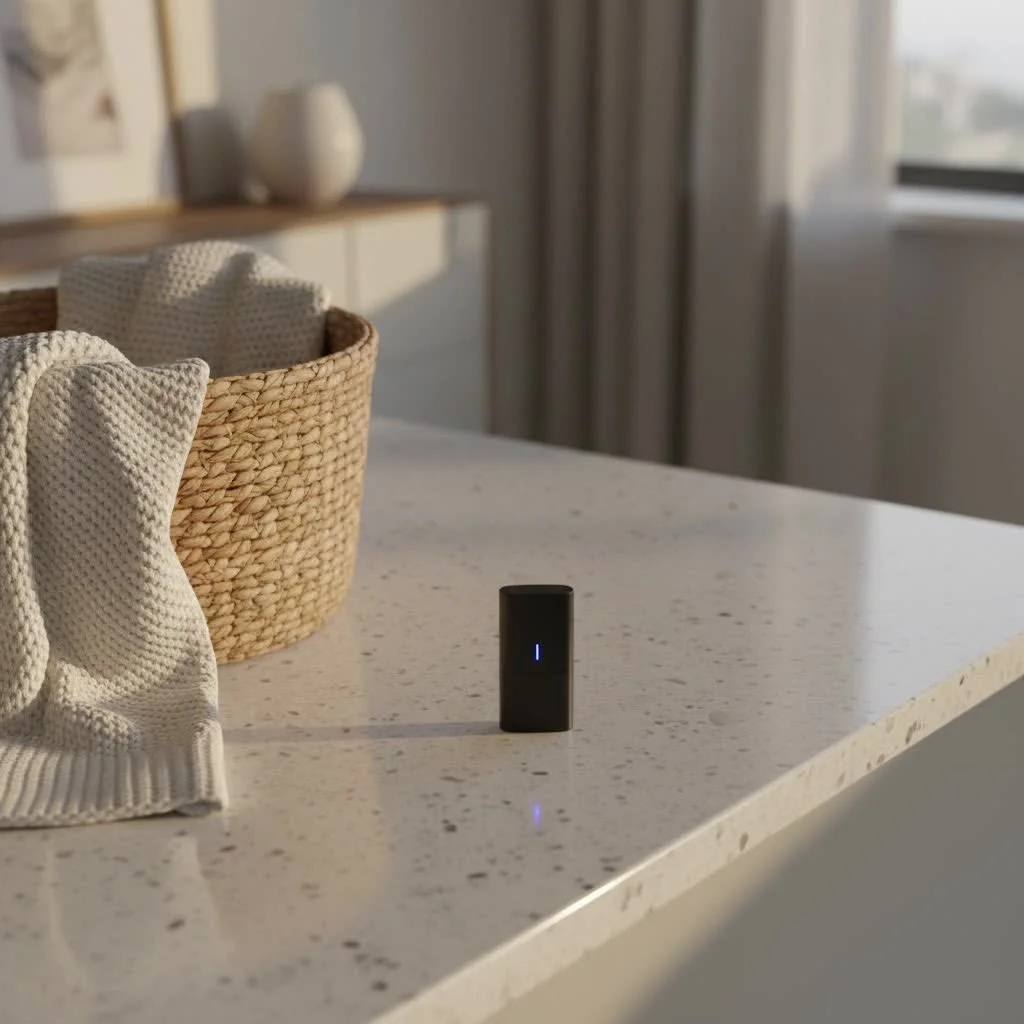
Simply put, an OBD2 Bluetooth dongle is a compact device that plugs into your car’s On-Board Diagnostics II (OBD2) port. Think of it as a bridge, designed to wirelessly transmit crucial data from your vehicle’s computer system directly to your smartphone, tablet, or sometimes even a laptop. These dongles are typically built around the ELM327 microcontroller, making them compatible with a wide array of diagnostic software applications.
Once plugged in, this clever little device communicates with your car’s various sensors and systems, capturing a wealth of information. This data, often in real-time, is then sent via Bluetooth to a companion app on your mobile device. What kind of data are we talking about? We’re talking about Diagnostic Trouble Codes (DTCs) that illuminate your dreaded “Check Engine Light,” live parameters like engine RPM, coolant temperature, vehicle speed, and fuel system status, as well as crucial “readiness” monitors for emissions testing and freeze-frame data that captures conditions at the moment a fault occurred.
Why Every Car Owner Needs One
In my extensive experience, an OBD2 Bluetooth dongle is more than just a gadget; it’s an essential tool for empowerment. It puts diagnostic capabilities traditionally reserved for professional mechanics right into your hands, saving you time, money, and potentially preventing more severe issues down the road.
What are the primary benefits of using an OBD2 Bluetooth dongle?
An OBD2 Bluetooth dongle allows you to perform DIY car diagnostics, interpret warning lights, save money on mechanic visits, and monitor your vehicle’s performance in real-time, offering peace of mind and proactive maintenance capabilities.
“Understanding your car’s health is no longer a luxury, it’s a necessity,” says our resident expert at Qisac.com. “An OBD2 Bluetooth dongle demystifies those intimidating warning lights, transforming confusion into actionable insights and helping you make informed decisions about your vehicle’s care.”
Whether you’re looking to understand why your Check Engine Light is on, monitor your fuel efficiency, or just keep an eye on your vehicle’s vital signs, an OBD2 Bluetooth dongle provides unparalleled transparency into your car’s operation.
Navigating the Options: Choosing the Right OBD2 Bluetooth Dongle
Choosing the right OBD2 Bluetooth dongle can seem overwhelming with the myriad of options available. However, focusing on a few key areas will ensure you pick a device that perfectly suits your needs.
Compatibility is Key
|
Our Picks for the Best Bluetooth Dongle in 2026
As an Amazon Associate I earn from qualifying purchases.
|
||
| Num | Product | Action |
|---|---|---|
| 1 | UGREEN USB Bluetooth 5.3 Adapter for PC, Plug & Play for Windows 11/10/8.1, Bluetooth Receiver & Transmitter for Keyboard/Mouse/Headphone/Speakers/Printer |

|
| 2 | Ebike Programmable Bluetooth Dongle for Fardriver Controller,Bluetooth Adapter,Compatible with Soleil01 Electric Bicycles |
|
| 3 | Fardriver Programmable Bluetooth Dongle for Fardriver Controller, Bluetooth Adapter Compatible with Fardriver E Bike Programming Module |
|
| 4 | Avantree DG45 USB Bluetooth Adapter Dongle for PC, Computer, Desktop & Laptop, Compatible with Windows 11/10/8.1/8 Only - Connects Bluetooth Headphones, Speakers, Keyboards, Mice & Printers (Not 2.4G) |
|
| 5 | ASUS USB-BT500 USB Adapter with Ultra Small Design, Bluetooth 5, Backward Compatible with Bluetooth®2.1/3.x/4.x, TAA Compliant (USB-BT500) |
|
| 6 | TP-Link USB Bluetooth Adapter for PC, Bluetooth 5.3 Long Range Receiver, Plug and Play, Adjustable Antenna, Supports Windows 11/10/8.1/7 for Desktop, Laptop, Keyboard, Mouse, etc (UB500 Plus) |
|
| 7 | Fardriver Programmable Wireless Adapter Dongle Fardriver Controller Programming Module |
|
| 8 | Fardriver Bluetooth Dongle,Programmable Adapter,Bluetooth Dongle for Ebike Controller,Compatible with Fardriver Controller |
|
| 9 | TP-Link USB Bluetooth Adapter for PC - Bluetooth 5.4 Dongle Receiver, Plug and Play, Nano Design, EDR & BLE, Supports Windows 11/10/8.1/7 for Desktop, Laptop, Keyboard, Mouse, etc (UB500) |
|
| 10 | Fardriver Programmable Bluetooth Dongle Controller for E-Bike,Programmable Bluetooth Adapter Compatible with Fardriver E Bike |
|
First and foremost, you need to ensure the dongle is compatible with both your vehicle and your mobile device’s operating system.
Which vehicles are compatible with OBD2 Bluetooth dongles?
Most OBD2 Bluetooth dongles are compatible with all gasoline vehicles sold in the United States since 1996, and diesel vehicles since 2004. Internationally, they work with EOBD (Europe) and JOBD (Japan) compliant vehicles, generally from 2001 onwards for petrol and 2004 for diesel models.
- Vehicle Compatibility: All cars and light trucks sold in the US since 1996 are legally required to be OBD2 compliant. Most international equivalents (EOBD, JOBD) are also supported. However, some older OBD2 vehicles (pre-2007) might present connectivity challenges.
- Operating System Compatibility: This is crucial.
- Android: Generally supports both classic Bluetooth (versions 1.x, 2.x, 3.x) and Bluetooth Low Energy (BLE 4.0+). Classic Bluetooth adapters are often recommended for Android due to their speed and reliability.
- iOS (iPhone/iPad): Primarily supports Bluetooth LE (4.0 and above) and specific “Made for iPhone” (MFi) certified classic Bluetooth adapters like the OBDLink MX+ or vLinker FS/MS. Standard classic Bluetooth dongles will not work with iOS devices due to Apple’s operating system limitations.
- App Compatibility: The dongle needs a companion app. Some dongles come with proprietary apps (e.g., BlueDriver, FIXD), while others rely on third-party apps like Torque Pro, Car Scanner, or OBD Auto Doctor. Check reviews and features of the app before committing to a dongle, as the app often defines the overall user experience.
Bluetooth Technology Matters
Not all Bluetooth is created equal when it comes to OBD2 dongles. Understanding the distinctions is vital.
- Classic Bluetooth (BT 1.x, 2.x, 3.x): This is the more traditional form of Bluetooth. It offers good speed and reliability, often favored by Android users for its faster data transfer rates compared to BLE.
- Bluetooth Low Energy (BLE 4.0+): Also known as Bluetooth Smart, BLE is designed for low power consumption. It’s the standard for iOS compatibility and offers comfortable, simple connections. Some modern dongles feature dual-chip technology, supporting both classic Bluetooth and BLE for broad compatibility.
- MFi Bluetooth: This is a special category of classic Bluetooth adapters certified by Apple to work with iOS devices. They are rare and typically more expensive but offer seamless connectivity for Apple users.
- Wi-Fi Dongles: While some Wi-Fi OBD2 dongles exist, they are generally less recommended due to potential connection problems and interference with your mobile internet. Bluetooth is usually the preferred wireless method.
Quality Over Clones: Investing Wisely
This is where my years of experience really come into play. The market is flooded with cheap, generic ELM327 clone adapters, often priced under $10. While tempting, these are a false economy.
What are the risks of using a cheap, low-quality OBD2 Bluetooth dongle?
Cheap OBD2 Bluetooth dongles can be unstable, prone to freezing, support only a subset of commands, fail to communicate with all ECUs, distort data, or even short-circuit your car’s electrical system, potentially causing serious damage.
Quality adapters from reputable brands like ScanTool.net (OBDLink) and Vgate (vLinker, iCar) offer superior performance, stability, and vehicle compatibility. They ensure accurate data, reliable connections, and often include user-upgradable firmware to keep them current. If you’re on a budget, consider an older model from a premium brand rather than a brand-new, unverified clone. Always check the refund policy if you do venture into the lower price points.
Features: Basic Code Reading vs. Advanced Diagnostics
Your needs will dictate the feature set you require.
- Basic Functionality: Most entry-level dongles excel at reading and clearing standard engine Diagnostic Trouble Codes (DTCs), monitoring basic live data (RPM, speed, temperature), and checking I/M readiness status. These are perfect for quickly diagnosing a Check Engine Light.
- Advanced Diagnostics: Higher-end dongles, often paired with more sophisticated apps, can delve much deeper. They can read manufacturer-specific codes, access other vehicle modules like ABS (Anti-lock Braking System), SRS (Supplemental Restraint System/airbags), and transmission, and even perform bi-directional testing or ECU coding (though this requires expert knowledge and carries risks). Some advanced features might come with a subscription fee.
Consider your mechanical knowledge and what you truly intend to do with the dongle. There’s no need to overspend on features you’ll never use.
Getting Started: Installing and Using Your OBD2 Bluetooth Dongle
One of the best things about OBD2 Bluetooth dongles is their ease of use. Here’s how to get up and running:
Finding Your OBD2 Port
The OBD2 port is a standardized 16-pin connector. In most vehicles, it’s located underneath the dashboard, usually near the steering column or on the driver’s side. If you can’t find it immediately, consult your vehicle’s owner’s manual.
The Plug-and-Play Process
- Plug it in: Firmly insert the OBD2 Bluetooth dongle into your vehicle’s OBD2 port. You might hear a click, and the dongle’s indicator lights should illuminate.
- Ignition On: Turn your car’s ignition to the “ON” position. You don’t necessarily need to start the engine for initial pairing, but you will for live data monitoring.
Connecting via Bluetooth: The Crucial Step
This is where many new users make a common mistake, but it’s easily avoidable!
How do I connect my OBD2 Bluetooth dongle to my smartphone?
First, plug the dongle into your car’s OBD2 port and turn the ignition on. Then, open your smartphone’s Bluetooth settings, scan for devices, select your dongle (often named “OBDII,” “VLink,” or the brand name), and pair it using the default PIN (usually 1234 or 0000). Only after successful pairing should you open your diagnostic app.
- Smartphone Settings First: Do NOT try to connect through your diagnostic app’s settings initially. Go directly to your phone or tablet’s main Bluetooth settings.
- Pairing: Scan for available Bluetooth devices. Your dongle should appear (e.g., “OBDII,” “VLink,” or its brand name). Select it and enter the default pairing PIN, which is usually “1234” or “0000”. If these don’t work, check the dongle’s manual.
- Open the App: Once successfully paired in your phone’s Bluetooth settings, open your chosen diagnostic app. Within the app, navigate to its settings or connection menu and select your paired OBD2 dongle.
- Start the Car: For real-time data and full diagnostics, it’s often necessary to start your vehicle’s engine after the dongle is connected to the app.
Troubleshooting Common OBD2 Bluetooth Dongle Issues
Even with the best equipment, occasional hiccups can occur. Here’s how to address some common problems:
Connection Woes?
Why isn’t my OBD2 Bluetooth dongle connecting to my phone or car?
Common reasons include compatibility issues between the dongle and your device/vehicle, an improperly plugged-in dongle, Bluetooth being off or busy with other devices, or attempting to pair directly through the app instead of the phone’s Bluetooth settings.
- Check Compatibility: Double-check that your dongle, phone, and vehicle are all compatible.
- Reset Bluetooth: On your phone, turn Bluetooth off, wait a few seconds, then turn it back on. Sometimes, restarting your vehicle can also refresh its OBD2 system.
- Unplug and Replug: Remove the dongle from the OBD2 port, wait a minute, and plug it back in firmly. Ensure indicator lights are active.
- Avoid Interference: Make sure your phone isn’t actively streaming to other Bluetooth devices. The dongle can only connect to one app at a time, so close any other OBD apps.
- Correct Pairing Procedure: Reiterate the “pair in phone settings first” rule.
Inaccurate Readings or App Glitches
If your data seems off or the app is misbehaving:
- Reliable Software: Ensure you’re using a reputable and updated diagnostic app. Generic apps with poor maintenance can lead to incorrect readings. Some scanners work best with their proprietary apps.
- Firmware Updates: Check the dongle manufacturer’s website for firmware updates. Older firmware versions can sometimes cause issues with newer car protocols or app features.
- Loose Connection: A loose connection to the OBD2 port can lead to intermittent or incorrect data.
Security Concerns: A Note of Caution
A less common but important concern with some cheaper OBD2 Bluetooth dongles is security. Some models come with default, unchangeable Bluetooth pairing passwords. If left plugged into your vehicle, this could theoretically allow unauthorized access to your car’s OBD2 data by someone nearby with a malicious app.
- Our Recommendation: Always unplug your OBD2 Bluetooth dongle when it’s not in use, especially when parked or unattended. If your dongle allows for changing the Bluetooth pairing password, do so immediately to enhance security.
Top OBD2 Bluetooth Dongle Recommendations for 2025
Based on extensive testing and user feedback, here are some of the best OBD2 Bluetooth dongles available that meet Qisac’s standards for quality, performance, and value:
- BlueDriver Bluetooth Pro OBDII Scan Tool: Often lauded as the “Best Bluetooth OBD2 Scanner” overall. It boasts an intuitive, feature-rich app with no subscription fees for advanced features and provides repair reports. It excels in ease of use and app quality, though live data refresh rates might be slower than wired options.
- OBDLink MX+ Bluetooth Scanner: A top-tier choice for advanced features, this dongle supports all major platforms (Windows, macOS, Android, iOS) and is known for its speed and durability. It offers hacker-proof secure pairing and free firmware updates, making it a robust option despite a higher upfront cost.
- Vgate vLinker Series (MC+/FS/MS/iCar Pro 2S): Vgate offers a range of high-quality dongles that are strong competitors to OBDLink. Models like the vLinker MC+ are dual-Bluetooth (classic and LE) for wide compatibility, while FS/MS are MFi certified for iOS. They provide excellent performance and are continuously updated.
- Ancel BD200 Elite: Awarded “Best Value,” the Ancel BD200 Elite is a capable scanner under $50 with no subscription costs. It provides O2 testing, DTC retrieval, and real-time data, making it a solid budget-friendly option for both Android and iOS users.
- FIXD OBD2 Professional Bluetooth Scan Tool: Praised for being “Easiest to Use” with a very user-friendly app. While effective for quick code reading, its advanced features often require an annual subscription.
- Panlong Bluetooth OBDII Car Diagnostic Scanner: If you’re looking for a “Budget Pick” around $13-25, the Panlong offers basic OBD2 fault code reading, primarily for Android. It relies on third-party apps like Torque or OBD Car Doctor.
Frequently Asked Questions (FAQ)
Are Bluetooth OBD2 scanners any good?
Absolutely! Bluetooth OBD2 scanners are highly effective tools for DIY car diagnostics, offering real-time data, code reading, and code clearing capabilities directly to your smartphone. While wired scanners might offer slightly faster data refresh for professional-level live monitoring, Bluetooth dongles provide unmatched convenience and accessibility for the average car owner.
Is a Bluetooth OBD2 scanner better than a standard OBD2 scanner?
Neither is inherently “better” but they serve different user needs. Bluetooth OBD2 scanners offer wireless convenience and integrate with your smartphone’s powerful interface, making them portable and versatile. Standard handheld OBD2 scanners are standalone devices, often preferred by professionals for their dedicated screens and sometimes faster, more stable wired connections for extensive live data streaming. The choice depends on your preference for portability versus a dedicated interface.
Can a Bluetooth OBD2 dongle read all car codes?
Most quality OBD2 Bluetooth dongles can read all generic Diagnostic Trouble Codes (DTCs) that cause your Check Engine Light to illuminate. Higher-end models, often with advanced software, can also read manufacturer-specific codes and access data from other vehicle modules like ABS, airbags, and transmission, which generic scanners typically cannot.
How often should I use my OBD2 Bluetooth dongle?
You can use your OBD2 Bluetooth dongle as often as you like! Many users keep it plugged in for continuous monitoring of vehicle performance, especially for tracking fuel efficiency or specific sensor readings. Others use it only when a warning light appears or for routine checks before long trips or maintenance.
Is it safe to leave an OBD2 Bluetooth dongle plugged in?
For quality, reputable dongles with robust security (like OBDLink MX+ with hacker-proof pairing), leaving them plugged in is generally safe. However, with cheaper dongles that might have fixed, easily guessable default passwords, it’s always safer to unplug the device when not in use to prevent potential unauthorized access.
Final Thoughts from Qisac.com
An OBD2 Bluetooth dongle is a powerful, accessible tool that empowers you to take control of your vehicle’s health. From quickly diagnosing a mysterious Check Engine Light to monitoring performance metrics, it provides an invaluable window into your car’s complex systems. Choosing a quality dongle and understanding its proper use will save you time, money, and bestow a greater sense of confidence on the road. Don’t let your car’s issues be a mystery any longer; embrace the power of wireless diagnostics.
For more in-depth reviews, troubleshooting tips, and expert insights into all things Bluetooth Dongle, be sure to visit us at Qisac.com – your trusted resource for automotive technology.
Pet products vetted on real animals
Practical specs, not advice. Unsubscribe anytime.