A universal Bluetooth dongle is a small USB device that adds Bluetooth connectivity to computers lacking it, offering broad compatibility with various Bluetooth versions and operating systems like Windows, macOS, and Linux. These dongles, especially those supporting Bluetooth 5.0 or higher, enable seamless wireless connections for headphones, keyboards, mice, and game controllers, effectively bridging the gap between wired and wireless peripherals.
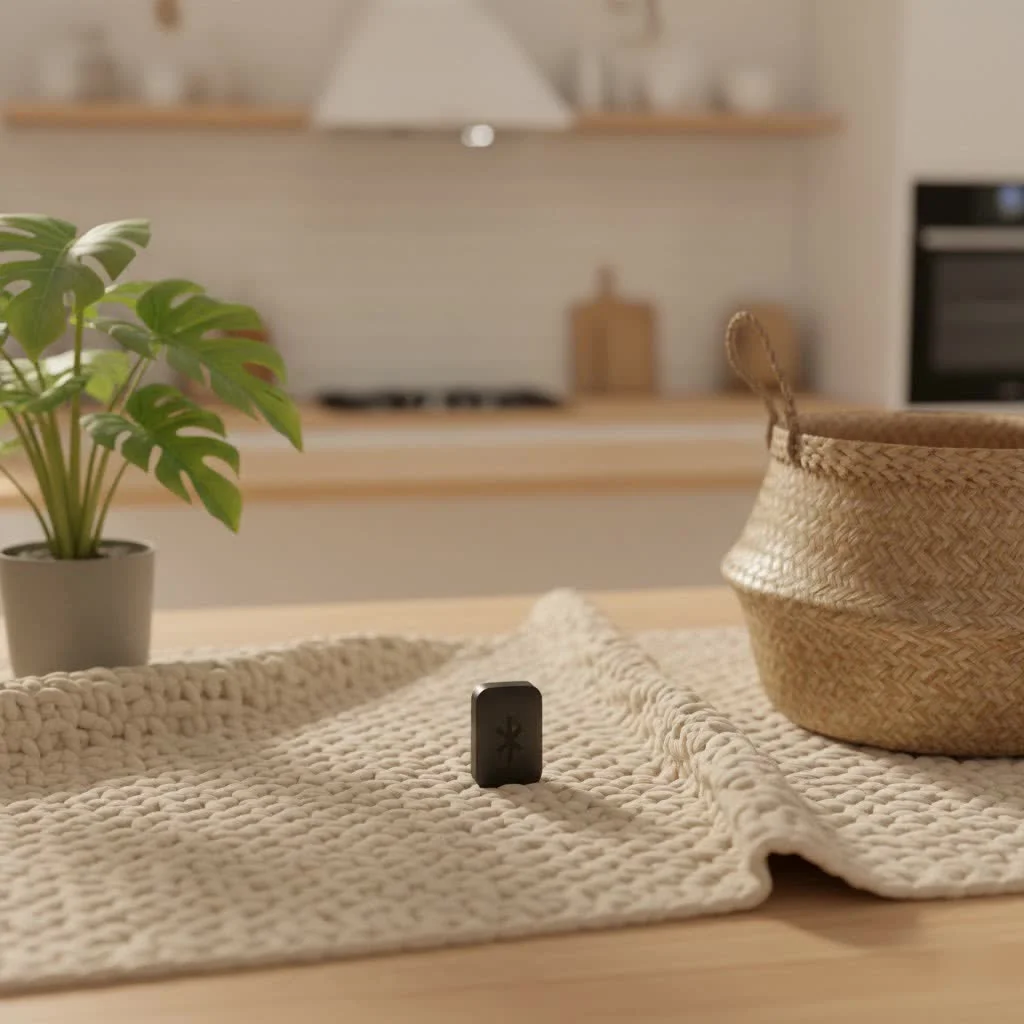
At Qisac.com, we understand the intricacies of wireless technology. With over a decade of hands-on experience, we’re here to demystify the concept of the universal Bluetooth dongle, guiding you through its features, compatibility nuances, and how to choose a product that genuinely serves your needs.
What Exactly is a Bluetooth Dongle?
Simply put, a Bluetooth dongle, often called a Bluetooth adapter, is a small, typically USB-based device that grants Bluetooth connectivity to devices that don’t inherently have it. Think of it as an instant upgrade kit for your computer or an older sound system. When you plug it into an available USB port, it acts as a radio transceiver, allowing your device to communicate wirelessly with other Bluetooth-enabled peripherals. This means you can connect wireless headphones for immersive audio, pair a Bluetooth mouse and keyboard for a clutter-free desk, or even link up your favorite game controllers for an enhanced gaming experience. These tiny powerhouses convert digital signals into wireless transmissions, making connections possible where none existed before.
The Myth and Reality of a “Universal” Bluetooth Dongle
The term “universal Bluetooth dongle” often sparks a vision of a single device that works flawlessly with every Bluetooth gadget and operating system under the sun—from your PC to a smart TV, car stereo, or even obscure IoT devices. While a truly “universal” dongle in that absolute sense is more of an aspiration than a current reality for every single application, modern Bluetooth dongles do offer remarkable versatility and broad compatibility, especially for computers.
For PC and laptop users, “universal” largely translates to extensive backward compatibility with older Bluetooth standards and wide support for various operating systems like Windows, macOS, and Linux. It means a dongle that can effortlessly connect to your brand-new Bluetooth 5.4 headphones while still maintaining a stable link with your trusty old Bluetooth 4.0 mouse. The key is in the design: these dongles are built to integrate seamlessly with your computer’s operating system, providing the necessary drivers and protocols to manage a multitude of Bluetooth connections.
However, it’s crucial to manage expectations. While many USB dongles work great with computers, devices like some smart TVs or car stereos might not recognize a standard data-transfer dongle for audio streaming, often requiring specialized audio-only Bluetooth transmitters/receivers or having proprietary limitations. Our focus here remains on dongles that empower your computer with the broadest possible Bluetooth capabilities.
Understanding Bluetooth Versions: The Foundation of Compatibility
To truly appreciate the “universality” of a Bluetooth dongle, it’s essential to understand the evolution of Bluetooth technology itself. Each major version brings significant improvements, yet a fundamental principle remains: backward compatibility. This means a newer Bluetooth dongle can communicate with devices using older Bluetooth versions, ensuring that your existing peripherals remain functional. However, the connection will operate at the capabilities of the older standard.
Here’s a quick look at the pivotal Bluetooth versions that impact your dongle’s performance:
Bluetooth 4.0 (2010): The Dawn of Low Energy
|
Our Picks for the Best Bluetooth Dongle in 2026
As an Amazon Associate I earn from qualifying purchases.
|
||
| Num | Product | Action |
|---|---|---|
| 1 | Fardriver Bluetooth Dongle,Programmable Adapter,Bluetooth Dongle for Ebike Controller,Compatible with Fardriver Controller |

|
| 2 | TP-Link USB Bluetooth Adapter for PC - Bluetooth 5.4 Dongle Receiver, Plug and Play, Nano Design, EDR & BLE, Supports Windows 11/10/8.1/7 for Desktop, Laptop, Keyboard, Mouse, etc (UB500) |
|
| 3 | Ebike Programmable Bluetooth Dongle for Fardriver Controller,Bluetooth Adapter,Compatible with Soleil01 Electric Bicycles |
|
| 4 | ASUS USB-BT500 USB Adapter with Ultra Small Design, Bluetooth 5, Backward Compatible with Bluetooth®2.1/3.x/4.x, TAA Compliant (USB-BT500) |
|
| 5 | Avantree DG45 USB Bluetooth Adapter Dongle for PC, Computer, Desktop & Laptop, Compatible with Windows 11/10/8.1/8 Only - Connects Bluetooth Headphones, Speakers, Keyboards, Mice & Printers (Not 2.4G) |
|
| 6 | UGREEN USB Bluetooth 5.3 Adapter for PC, Plug & Play for Windows 11/10/8.1, Bluetooth Receiver & Transmitter for Keyboard/Mouse/Headphone/Speakers/Printer |
|
| 7 | TP-Link USB Bluetooth Adapter for PC, Bluetooth 5.3 Long Range Receiver, Plug and Play, Adjustable Antenna, Supports Windows 11/10/8.1/7 for Desktop, Laptop, Keyboard, Mouse, etc (UB500 Plus) |
|
| 8 | Fardriver Programmable Wireless Adapter Dongle Fardriver Controller Programming Module |
|
| 9 | Fardriver Programmable Bluetooth Dongle for Fardriver Controller, Bluetooth Adapter Compatible with Fardriver E Bike Programming Module |
|
| 10 | Fardriver Programmable Bluetooth Dongle Controller for E-Bike,Programmable Bluetooth Adapter Compatible with Fardriver E Bike |
|
This version introduced Bluetooth Low Energy (BLE), a major upgrade for devices requiring minimal power consumption, such as fitness trackers and smart home sensors. It laid the groundwork for the modern IoT ecosystem.
Bluetooth 5.0 (2016): Speed, Range, and Efficiency
Bluetooth 5.0 was a significant leap forward, doubling the data transfer rate of BLE, quadrupling its range (up to 240 meters or 800 feet in open space), and dramatically improving broadcasting capabilities. It also enhanced power efficiency, making it ideal for a wider array of applications, from streaming high-quality audio to managing multiple connected devices. Many currently available dongles feature this version, offering a robust foundation for broad compatibility.
Bluetooth 5.1 (2019): Precision Location Services
This update brought enhanced direction-finding capabilities, allowing for more precise location services. This is particularly useful for indoor navigation systems and asset tracking, where knowing the exact position of devices matters.
Bluetooth 5.2 (2020): Introducing LE Audio
Bluetooth 5.2 marked a pivotal moment with the introduction of LE Audio and isochronous channels. LE Audio promises higher quality audio with lower power consumption and enables features like multi-stream audio, allowing a single source to transmit audio to multiple headphones simultaneously. Isochronous channels ensure time-synchronized data transfer, crucial for real-time applications like audio streaming.
Bluetooth 5.3 (2021) and 5.4 (Latest): Stability and Future-Proofing
These incremental updates continue to refine the standard, adding more stability, security, and efficiency to connections. Bluetooth 5.4 is currently the most recent version, with discussions around Bluetooth 6.0 already in motion. Investing in a dongle with Bluetooth 5.3 or 5.4 ensures you have the latest improvements for reliability and are well-prepared for future Bluetooth devices.
Backward Compatibility Explained: The beauty of Bluetooth is its inherent backward compatibility. A Bluetooth 5.4 dongle will happily connect with a Bluetooth 4.2 keyboard or a Bluetooth 5.0 speaker. However, the connection’s capabilities (speed, range, specific features like LE Audio) will be limited by the older standard supported by the peripheral. For example, to enjoy LE Audio, both your dongle and your headphones must support Bluetooth 5.2 or newer.
Choosing the Right Bluetooth Dongle for Your Needs
Navigating the market for a Bluetooth dongle can be daunting, but with a clear understanding of your requirements, you can make an informed decision. Here’s what to look for when seeking a truly versatile and “universal” solution for your computer:
1. Bluetooth Version
Always aim for Bluetooth 5.0 or higher. For the best performance and future-proofing, a dongle supporting Bluetooth 5.3 or 5.4 is highly recommended. These versions offer superior range, faster data speeds, enhanced power efficiency, and support for advanced features like LE Audio. While older versions work, newer standards provide a significantly improved experience.
2. Operating System Compatibility
Ensure the dongle explicitly supports your operating system. Most modern dongles are plug-and-play with Windows 10 and 11, often requiring minimal to no driver installation. If you’re running an older Windows version (like 7 or 8.1), macOS, or Linux, verify driver availability. Some dongles may require specific drivers for full functionality on non-Windows platforms.
3. Range and Class Rating
Bluetooth dongles come in different “classes” that dictate their range:
- Class 2: Standard range, typically up to 10 meters (33 feet). Most common for everyday use.
- Class 1: Long-range, extending up to 100 meters (330 feet) in open spaces. Ideal if your connected devices are spread across a larger room or even different floors. Look for dongles advertising “Class 1” for extended reach.
4. Data Speed and Technologies
- EDR (Enhanced Data Rate): Many dongles include EDR, which significantly boosts data transfer speeds (up to 3 Mbps compared to 1 Mbps in older versions). This is crucial for smooth audio streaming and quick file transfers.
- BLE (Bluetooth Low Energy): Essential for connecting with modern low-power devices. Most Bluetooth 4.0+ dongles support this.
5. Audio Codec Support
For audiophiles and anyone concerned with sound quality and latency, check for support for advanced audio codecs:
- aptX/aptX HD: Delivers high-quality audio, often considered “CD-like” or better.
- aptX Low Latency (aptX LL): Critical for synchronized audio with video, minimizing delay for movies and gaming.
- AAC: Preferred codec for Apple ecosystems.
- LC3 (for LE Audio): The new standard for high-quality, power-efficient audio under Bluetooth 5.2+.
6. Multi-Device Connectivity
A truly versatile dongle should effortlessly manage multiple Bluetooth connections simultaneously. Most quality dongles can connect to at least 5-7 devices at once, allowing you to use your wireless keyboard, mouse, and headphones without constant re-pairing.
7. Physical Size and Design
USB dongles typically come in a compact “nano” size, which is great for laptops as you can leave it plugged in without fear of it getting snagged. For desktops, size is less critical, but a discreet design is always a plus.
8. Brand Reputation
Stick with reputable brands known for quality and driver support. Companies like TP-Link, Ugreen, Asus, Avantree, and Techkey consistently produce reliable Bluetooth dongles. Checking user reviews is also a smart move to gauge real-world performance and support.
Installation and Setup: Getting Your Dongle Ready
One of the greatest advantages of modern Bluetooth dongles is their ease of installation. For the majority of users, particularly on Windows 10 and 11, it’s often a simple plug-and-play experience.
Simple Steps for Seamless Integration:
- Plug it in: Insert the Bluetooth dongle directly into an available USB port on your computer. Avoid USB hubs if possible, as direct connections minimize interference and ensure stable bandwidth, especially for high-bitrate audio.
- Automatic Detection: Your operating system (Windows, macOS, or Linux) should automatically detect the new hardware and attempt to install generic drivers.
- Driver Installation (if needed): If your system doesn’t immediately recognize the dongle or you want to unlock advanced features, you may need to install specific drivers from the manufacturer’s website. This is more common for older OS versions or specialized dongles. Follow the instructions provided with your dongle.
- Verify Installation:
- Windows: Go to “Device Manager” (search for it in the Start Menu). Expand “Bluetooth” or “Universal Serial Bus controllers.” You should see your dongle listed (e.g., “Generic Bluetooth Radio” or a specific model name).
- Crucial Tip: If your PC already has built-in Bluetooth, Windows typically only supports one Bluetooth radio. Plugging in a dongle when integrated Bluetooth is active can cause conflicts. It’s often best to disable the integrated Bluetooth in Device Manager before using a dongle to prevent issues.
Once installed, you can typically access Bluetooth settings via your operating system’s control panel or system tray, where you can scan for and pair with your Bluetooth devices.
Troubleshooting Common Bluetooth Dongle Issues
Even with the most “universal” dongle, you might occasionally encounter hiccups. Here are some common issues and how to resolve them:
Q: My Bluetooth dongle isn’t detected by my computer.
A: First, try plugging the dongle into a different USB port. Ensure it’s not a faulty port. Check Device Manager to see if any unknown devices are listed, indicating a driver issue. If you have integrated Bluetooth, disable it before plugging in the dongle, as Windows can sometimes struggle with multiple Bluetooth radios. Reinstalling the manufacturer’s drivers can also resolve detection problems.
Q: My connection is poor, or the range is limited.
A: Bluetooth signals can be sensitive to obstacles and interference. Ensure your dongle and connected devices have a clear line of sight. Move away from other 2.4 GHz wireless devices (like Wi-Fi routers, cordless phones, or microwaves) that can cause interference. For optimal performance, always connect your dongle to a USB 3.0+ port, as USB 2.0 can sometimes bottleneck data, affecting high-resolution audio or video streaming.
Q: I’m experiencing audio lag or poor sound quality.
A: This is often related to the Bluetooth version and supported audio codecs. Ensure both your dongle and your audio device (headphones, speakers) support advanced codecs like aptX Low Latency if you’re watching videos or gaming. Older Bluetooth versions or unsupported codecs can lead to noticeable delays. Also, check for interference as mentioned above.
Q: My device won’t pair with the dongle.
A: Make sure both the dongle and the device you’re trying to pair are in “pairing mode.” For the dongle, this is usually automatic once installed. For devices like headphones, you typically press and hold a button until an indicator light flashes. Ensure the device isn’t already paired with another system. If still unsuccessful, try restarting both your computer and the Bluetooth device.
Top Recommendations for Universal Bluetooth Dongles in 2025
Based on compatibility, features, and user experience, here are some top choices that exemplify “universal” functionality for PC users:
- Ugreen Bluetooth 5.4 USB Dongle Adapter: Often praised for its broad compatibility across multiple Bluetooth versions (5.3, 5.2, 5.0, 4.2, 4.0), supporting a wide range of devices from laptops to headphones, mice, and game controllers. It’s designed for seamless wireless experience with stable connectivity over long distances.
- TP-Link UB500 (Bluetooth 5.0) or UB530/UB540 (newer versions): TP-Link dongles are consistently highly-rated for their reliability, plug-and-play ease on Windows 10/11, and support for multiple devices simultaneously. The UB500 offers Bluetooth 5.0, while newer iterations provide Bluetooth 5.3 or 5.4, bringing improved range, speed, and reduced interference.
- ASUS USB-BT500 (Bluetooth 5.0): This adapter is a popular choice for its straightforward setup and broad compatibility. It supports Bluetooth 5.0 with EDR, offering speeds up to 3MBps and connecting up to seven devices across a respectable range. It’s known for working well with various peripherals, including popular game controllers.
- Techkey 150M Class 1 Long Range Bluetooth Adapter (Bluetooth 5.4): If range is your top priority, this dongle stands out. Supporting Bluetooth 5.4 and featuring an antenna, it can provide coverage up to 150 meters (500ft) in ideal conditions, making it excellent for whole-house connectivity. It’s also backward compatible with older Bluetooth modes.
These dongles embody the spirit of “universal” by offering wide compatibility with various devices and Bluetooth versions, ensuring you get a reliable and robust wireless experience.
“As a seasoned expert, I always advise users to invest in a Bluetooth 5.0 or newer dongle. While backward compatibility is great, the advancements in range, speed, and power efficiency truly improve your wireless experience, especially with LE Audio becoming more prevalent.” – Eleanor Vance, Wireless Connectivity Specialist at Qisac.com
Conclusion
The journey to a truly wireless setup for your computer often begins with a robust Bluetooth dongle. While the term “universal” in its broadest sense might be aspirational, modern Bluetooth dongles deliver exceptional compatibility, allowing you to connect a vast array of peripherals across different Bluetooth versions. By understanding the nuances of Bluetooth standards, prioritizing key features like version number, range, and codec support, and following simple installation and troubleshooting tips, you can improve your device into a powerful wireless hub.
Embrace the freedom from cables, enhance your productivity, and enjoy seamless entertainment. With the right universal Bluetooth dongle, you’re not just adding a feature; you’re upgrading your entire digital experience, making it safer, more efficient, and more enjoyable. Now go forth, connect confidently, and share your newfound wireless wonders!
Choosing the Right Bluetooth Dongle for Your Needs
This guide outlines key factors to consider when selecting a versatile and universal Bluetooth dongle for your computer, ensuring optimal performance and compatibility.
Always prioritize a dongle with Bluetooth 5.0 or higher, ideally Bluetooth 5.3 or 5.4. These newer versions offer superior range, faster data speeds, and enhanced power efficiency, along with support for advanced features like LE Audio, providing a significantly improved wireless experience.
Ensure the dongle explicitly supports your computer's operating system, such as Windows 10/11, macOS, or Linux. Most modern dongles are plug-and-play, but older OS versions or specialized dongles might require specific driver installations from the manufacturer's website for full functionality.
Choose a dongle based on your required range. Class 2 dongles offer a standard range of up to 10 meters (33 feet), suitable for most everyday uses. For extended reach, up to 100 meters (330 feet) in open spaces, opt for a Class 1 dongle, which is ideal for larger rooms or multiple floors.
For high-quality audio and minimal latency, look for dongles that support advanced audio codecs like aptX, aptX HD, aptX Low Latency, AAC, or LC3 (for LE Audio). These codecs are crucial for audiophiles, gamers, and anyone watching videos to ensure synchronized and clear sound.
A versatile dongle should manage multiple Bluetooth connections simultaneously, typically 5-7 devices, without constant re-pairing. Additionally, stick with reputable brands like TP-Link, Ugreen, Asus, Avantree, or Techkey, known for their quality, reliability, and robust driver support, to ensure a consistent and positive user experience.
Pet products vetted on real animals
Practical specs, not advice. Unsubscribe anytime.

This adapter works great for connecting my wireless mouse and keyboard to my Linux machine. I was a bit worried about compatibility since some devices can be finicky with Linux, but this one handled it perfectly. The range is decent too, I can walk a few feet away without losing connection. My only minor gripe is that it sticks out a little more than I expected from the USB port.
I bought this specifically to connect my PS4 controller to my PC for some emulators. While it does connect, I’ve noticed a slight input lag sometimes, which is pretty annoying in fast-paced games. It’s not constant, but enough to be noticeable. For basic audio or a regular mouse, it’s probably fine, but for gaming controllers, it’s just okay.
I finally got one of these universal Bluetooth dongles for my old desktop that didn’t have any wireless capabilities. It was super easy to set up, literally plug and play on Windows 10. Now I can use my Bluetooth headphones without any issues, which is a game-changer for late-night gaming sessions. Definitely recommend for anyone with an older PC.
My MacBook Pro’s built-in Bluetooth started acting up, and I didn’t want to pay for an expensive repair. This little dongle was a lifesaver! It supports Bluetooth 5.0, so my AirPods connect instantly and the audio quality is perfect. It’s so small I barely notice it’s there. Great alternative to fixing internal hardware.