Ever found yourself in the middle of an intense gaming session, only for your wireless headset to cut out as you step away from your PC? Or perhaps you’re hosting a backyard barbecue, trying to stream music from your laptop inside, and the signal just won’t reach? These frustrating moments are all too common with standard Bluetooth connections. The truth is, while built-in Bluetooth is convenient, it often falls short when you need real distance and robust connectivity. That’s where a long range Bluetooth dongle steps in, transforming your wireless experience and extending your digital reach far beyond typical limitations.
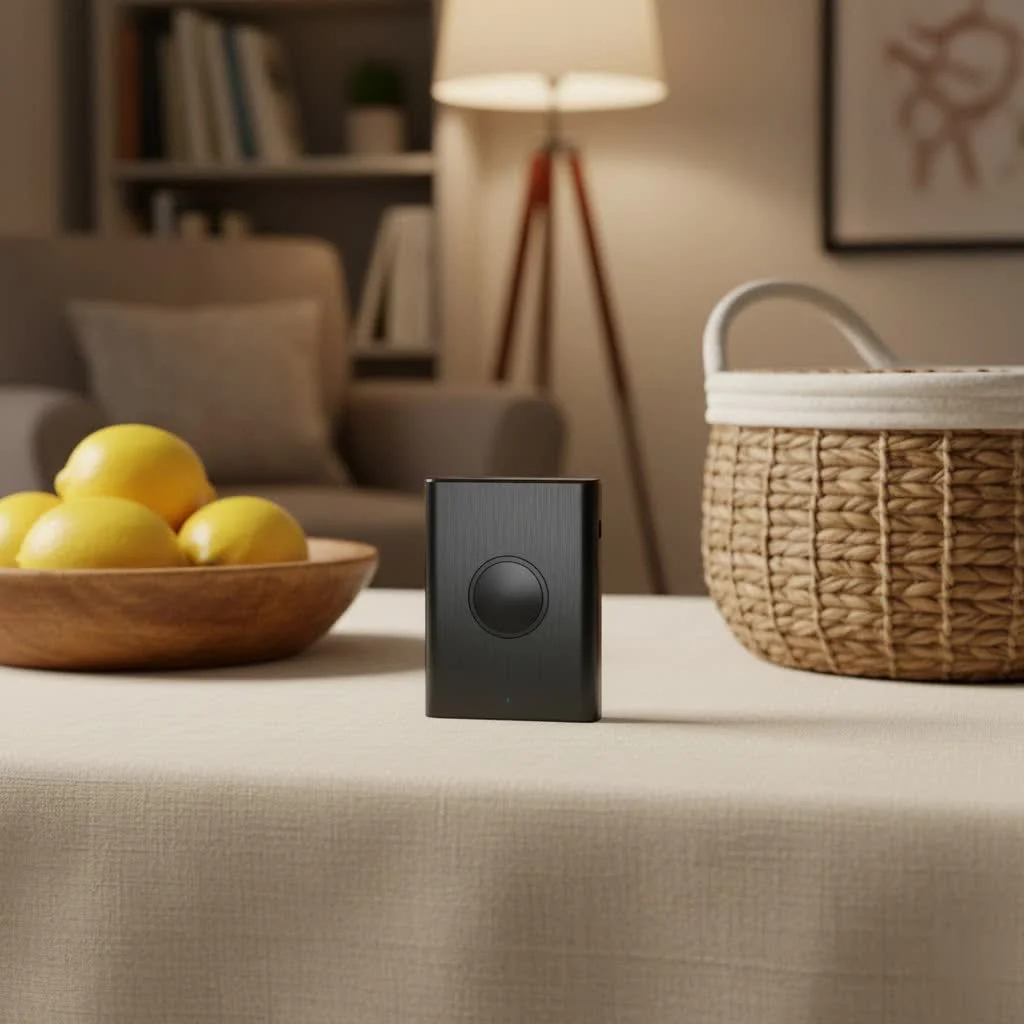
At Qisac.com, we understand the nuances of wireless technology. With over a decade of hands-on experience in the Bluetooth dongle realm, I’ve seen how a dedicated, long-range solution can be a game-changer for homes, offices, and even industrial settings. This isn’t just about connecting devices; it’s about seamlessly integrating your tech across greater distances without compromise. Let’s dive into what makes these devices so special and how you can harness their full potential.
What Makes a Bluetooth Dongle “Long Range”?
When we talk about a long range Bluetooth dongle, we’re not just throwing around marketing buzzwords. There are specific technologies and hardware characteristics that set these devices apart from your run-of-the-mill adapters. Understanding these distinctions is crucial for making an informed choice.
The Bluetooth Version Advantage: From 4.0 to 5.0+
The core of extended range capability often lies in the Bluetooth version supported by the dongle. While older standards like Bluetooth 4.0 or 4.2 offered decent connectivity for close proximity, they were never designed for expansive reach.
Bluetooth 5.0 and subsequent versions (like 5.1, 5.2, and 5.3) revolutionized wireless connectivity, primarily by introducing a Low Energy (LE) mode that drastically improved range and speed. Specifically, Bluetooth 5.0 boasts up to four times the range, twice the speed, and eight times the data capacity compared to Bluetooth 4.2 LE, all while consuming less power. This means a compatible long range Bluetooth dongle using Bluetooth 5.0 or newer can maintain a stable connection over significantly larger distances, making it ideal for everything from streaming high-fidelity audio across rooms to connecting smart home sensors throughout your property.
Class 1 Power: The Secret Sauce for Distance
Beyond the Bluetooth version, the hardware class of a dongle plays a pivotal role in its long-range capabilities. Bluetooth devices are categorized into different power classes, with Class 1 being the most powerful and, consequently, offering the greatest range.
- Class 1 Dongles: Designed for industrial and long-distance applications, Class 1 devices can transmit at up to 100 mW (20 dBm) and boast a theoretical maximum range of up to 100 meters (approximately 330 feet) in open air. These are the workhorses you want when seeking a true long range Bluetooth dongle.
- Class 2 Dongles: More common in consumer electronics like laptops and smartphones, Class 2 devices transmit at 2.5 mW (4 dBm) and typically offer a range of about 10 meters (33 feet).
- Class 3 Dongles: The least powerful, transmitting at 1 mW (0 dBm), with a very limited range of less than 10 meters.
Therefore, when evaluating dongles, always check for “Class 1” or a high power output (e.g., 20 dBm) in the specifications. This is a non-negotiable feature for achieving genuine long-range performance.
Antennas: Your Signal’s Best Friend
|
Our Picks for the Best Bluetooth Dongle in 2026
As an Amazon Associate I earn from qualifying purchases.
|
||
| Num | Product | Action |
|---|---|---|
| 1 | Fardriver Programmable Wireless Adapter Dongle Fardriver Controller Programming Module |

|
| 2 | TP-Link USB Bluetooth Adapter for PC, Bluetooth 5.3 Long Range Receiver, Plug and Play, Adjustable Antenna, Supports Windows 11/10/8.1/7 for Desktop, Laptop, Keyboard, Mouse, etc (UB500 Plus) |
|
| 3 | Fardriver Programmable Bluetooth Dongle for Fardriver Controller, Bluetooth Adapter Compatible with Fardriver E Bike Programming Module |
|
| 4 | Fardriver Bluetooth Dongle,Programmable Adapter,Bluetooth Dongle for Ebike Controller,Compatible with Fardriver Controller |
|
| 5 | ASUS USB-BT500 USB Adapter with Ultra Small Design, Bluetooth 5, Backward Compatible with Bluetooth®2.1/3.x/4.x, TAA Compliant (USB-BT500) |
|
| 6 | Avantree DG45 USB Bluetooth Adapter Dongle for PC, Computer, Desktop & Laptop, Compatible with Windows 11/10/8.1/8 Only - Connects Bluetooth Headphones, Speakers, Keyboards, Mice & Printers (Not 2.4G) |
|
| 7 | Fardriver Programmable Bluetooth Dongle Controller for E-Bike,Programmable Bluetooth Adapter Compatible with Fardriver E Bike |
|
| 8 | Ebike Programmable Bluetooth Dongle for Fardriver Controller,Bluetooth Adapter,Compatible with Soleil01 Electric Bicycles |
|
| 9 | UGREEN USB Bluetooth 5.3 Adapter for PC, Plug & Play for Windows 11/10/8.1, Bluetooth Receiver & Transmitter for Keyboard/Mouse/Headphone/Speakers/Printer |
|
| 10 | TP-Link USB Bluetooth Adapter for PC - Bluetooth 5.4 Dongle Receiver, Plug and Play, Nano Design, EDR & BLE, Supports Windows 11/10/8.1/7 for Desktop, Laptop, Keyboard, Mouse, etc (UB500) |
|
Think of an antenna as the voice of your Bluetooth dongle. A stronger, clearer voice can travel further and be understood better. Many standard dongles feature tiny, integrated antennas that are adequate for close-range use. However, a high-quality long range Bluetooth dongle often comes equipped with an external, omnidirectional, and sometimes high-gain antenna.
External antennas offer several advantages: they can be larger, allowing for better signal reception and transmission, and crucially, they can often be positioned for optimal line-of-sight. Some advanced dongles even feature detachable antennas, giving you the flexibility to upgrade to an even more powerful antenna if your specific environment demands it. The difference between an internal chip antenna and a well-designed external antenna can be dramatic, turning a flaky connection into a rock-solid link across a room or even through a wall.
Choosing the Right Long Range Bluetooth Dongle for Your Needs
Selecting the perfect long range Bluetooth dongle isn’t a one-size-fits-all situation. Your specific use case, existing hardware, and operating system all play a role. Let’s break down the key considerations.
USB vs. PCIe: Understanding Your Connection Options
The physical interface of your dongle matters, especially for performance and integration.
- USB Bluetooth Dongles: These are the most common and versatile. They simply plug into an available USB port on your desktop or laptop. USB dongles are portable, easy to install, and widely compatible. They’re excellent for most users looking for a quick and effective range upgrade. Many Class 1, Bluetooth 5.0+ dongles come in a USB form factor.
- PCIe Bluetooth Cards: For desktop PC users, a PCIe card offers a more integrated and often more robust solution. These cards install directly into a motherboard’s PCIe slot and frequently include large, external antennas that can be mounted on the back of your PC case. They typically offer superior stability and performance due to their direct connection and larger antenna setups, making them a premium choice for dedicated long-range needs, especially for gaming or professional audio.
Compatibility is Key: OS, Profiles, and Devices
Before you commit, ensure your chosen long range Bluetooth dongle will play nice with your current setup.
- Operating System Compatibility: Most dongles support Windows (often Windows 10 and 11 out of the box), but if you’re on macOS or Linux, verify explicit driver support. While many are plug-and-play, some advanced features or specific brands might require proprietary drivers.
- Bluetooth Profiles: Ensure the dongle supports the specific Bluetooth profiles required by your devices. Common profiles include:
- A2DP (Advanced Audio Distribution Profile): For stereo audio streaming (headphones, speakers).
- AVRCP (Audio/Video Remote Control Profile): For controlling media playback.
- HFP (Hands-Free Profile) / HSP (Headset Profile): For voice calls (headsets with microphones).
- HID (Human Interface Device Profile): For keyboards, mice, game controllers.
- A good long-range dongle will typically support a wide array of profiles, ensuring broad compatibility with your existing Bluetooth ecosystem.
- Device Compatibility: While a new dongle boosts your PC’s range, remember that the receiving device (e.g., your headphones) also needs a decent antenna and Bluetooth version to fully benefit. A Bluetooth 5.0 dongle will work with older Bluetooth 4.0 headphones, but the connection will be limited by the capabilities of the older device. For optimal long-range performance, aim for devices that are also Bluetooth 5.0 or newer.
Don’t Forget the Details: Brands, Reviews, and Support
When it comes to technology, reputation matters. Look for reputable brands known for their wireless accessories, such as ASUS, TP-Link, UGREEN, or Avantree. Check user reviews for real-world performance insights, paying close attention to comments about actual range and stability. Finally, consider the manufacturer’s customer support and warranty policies – peace of mind is invaluable.
Setting Up Your Long Range Bluetooth Dongle: A Smooth Ride
Getting your new long range Bluetooth dongle up and running is usually straightforward, but a few tips can ensure you maximize its performance.
Step-by-Step Installation Guide (General for USB)
- Disable Existing Bluetooth (if any): If your computer has built-in Bluetooth, disable it in your operating system’s settings or Device Manager to prevent conflicts.
- Plug it In: Insert the USB dongle into an available USB port. For desktop PCs, using a rear USB port directly on the motherboard can sometimes offer better stability than front panel ports.
- Driver Installation:
- Windows: Modern dongles, especially Bluetooth 5.0+, are often plug-and-play. Windows Update might automatically find and install the necessary drivers.
- Manual Driver Installation: If not, visit the manufacturer’s website and download the latest drivers specific to your dongle model and operating system. Follow their installation instructions carefully.
- Pair Your Devices: Once drivers are installed, Windows (or your OS) should recognize the new Bluetooth adapter. You can then go to your Bluetooth settings, enable Bluetooth, and start pairing your devices as usual.
Optimizing Placement for Maximum Reach
Even with a powerful long range Bluetooth dongle, placement can significantly impact performance.
- Line of Sight is Your Friend: Bluetooth signals are essentially radio waves and perform best with a clear line of sight between the dongle and your devices. Avoid placing the dongle behind large metal objects, thick walls, or densely packed furniture.
- Elevate It: If possible, position your dongle higher up (e.g., on top of your PC case or using a USB extension cable) to avoid signal absorption from the floor or desk.
- Avoid Interference: Other wireless devices can interfere with Bluetooth. Keep your dongle away from Wi-Fi routers, cordless phones, microwave ovens, and other 2.4 GHz devices, as these can cause signal degradation. A general rule of thumb is to maintain at least a few feet of separation.
Troubleshooting Common Long Range Bluetooth Dongle Issues
Even the best technology can occasionally hit a snag. Here are some common issues you might encounter with a long range Bluetooth dongle and how to troubleshoot them.
“Why Can’t I Connect?”: Pairing and Discovery Problems
If your device isn’t showing up or refusing to pair, try these steps:
- Check Device Mode: Ensure your Bluetooth device is in pairing mode (often indicated by a flashing LED).
- Restart Everything: A simple restart of your computer and the Bluetooth device can often resolve temporary glitches.
- Remove Old Pairings: Delete any old, problematic pairings from both your computer and the Bluetooth device, then try pairing again.
- Proximity Test: Bring the devices closer initially to confirm they can pair at short range, then test the long range.
“My Signal is Weak!”: Interference and Obstruction
Experiencing dropped connections or stuttering audio, even with a long-range dongle?
- Re-evaluate Placement: Move the dongle to a different location, especially one with better line of sight to your devices and away from other wireless transmitters.
- Identify Obstacles: Thick walls (especially those with metal studs), large appliances, or even human bodies can absorb or block Bluetooth signals. Try to minimize these barriers.
- Check for Other Devices: Temporarily disable other 2.4 GHz wireless devices (like Wi-Fi) to see if interference is the culprit. If your router has a 5GHz band, try switching your Wi-Fi to that band to free up the 2.4GHz spectrum for Bluetooth.
“It Just Stopped Working!”: Driver and Software Glitches
Sometimes, software issues can be the root of your problems.
- Update Drivers: Always ensure you have the latest drivers from the dongle manufacturer’s website. Outdated drivers are a common cause of performance issues.
- Reinstall Drivers: If an update doesn’t help, try completely uninstalling the existing Bluetooth drivers (including any Windows default drivers) and then performing a clean installation of the manufacturer’s latest drivers.
- Windows Troubleshooter: Utilize Windows’ built-in Bluetooth troubleshooter, which can often identify and fix common issues automatically.
- Reset Bluetooth Service: In Windows Services (search “services.msc”), find “Bluetooth Support Service,” right-click, and select “Restart.”
Top Picks: Recommended Long Range Bluetooth Dongles on the Market
When you’re searching for a reliable long range Bluetooth dongle, keep an eye out for devices that prominently feature Bluetooth 5.0 (or newer) and explicitly state “Class 1” power. Dongles with external, often detachable, antennas are almost always a superior choice for range compared to their internal-antenna counterparts.
“In my experience, the biggest leap in real-world long-range performance comes from combining a Class 1 Bluetooth 5.0 dongle with a well-positioned external antenna. It’s truly a night and day difference for anyone trying to push the boundaries of their wireless setup,” says Dr. Anya Sharma, a leading wireless connectivity engineer.
Look for models from brands that specialize in networking and peripherals, as they often invest in better chipsets and antenna designs. Prioritize models with strong driver support and a good reputation for stable connections over distance. While specific product recommendations can become outdated quickly, focusing on these core features will guide you to a top-tier long-range solution.
Frequently Asked Questions About Long Range Bluetooth Dongles
How far can a long range Bluetooth dongle actually reach?
A true long range Bluetooth dongle, typically a Class 1 device running Bluetooth 5.0 or newer, can theoretically reach up to 100 meters (330 feet) in an open-air environment with no obstructions. In real-world scenarios, with walls and interference, you can still expect significantly improved range compared to standard dongles, often achieving 30-50 meters (100-160 feet) or more within a typical home or office.
Do I need a special driver for a long range Bluetooth dongle?
Many modern long range Bluetooth dongles (especially on Windows 10/11) are plug-and-play, with drivers automatically installed by the operating system. However, for optimal performance, stability, and to access all features, it is always recommended to download and install the latest drivers directly from the dongle manufacturer’s website.
Can walls or furniture affect my Bluetooth dongle’s range?
Absolutely. Physical obstacles like walls (especially thick or metal-reinforced ones), large furniture, and even human bodies can significantly attenuate or block Bluetooth signals, reducing the effective range of your long range Bluetooth dongle. Maintaining a clear line of sight between the dongle and your devices is ideal for maximizing range.
Is a Bluetooth 5.0 dongle always long range?
Not necessarily. While Bluetooth 5.0 introduces the potential for greater range, a dongle’s actual long-range performance also depends on its power class (it needs to be Class 1) and its antenna design. A Bluetooth 5.0 dongle that is Class 2 or has a small internal antenna may not offer the extreme range of a dedicated long range Bluetooth dongle. Always check for Class 1 and external antennas for the best results.
Can I use a long range dongle with older Bluetooth devices?
Yes, long range Bluetooth dongles are generally backward compatible with older Bluetooth devices (e.g., Bluetooth 4.0 or 4.2). However, the overall connection quality and range will be limited by the capabilities of the older device. You will only fully benefit from the extended range and higher speeds if both the dongle and the connected device support Bluetooth 5.0 or newer and are Class 1.
Elevate Your Connectivity Experience
Choosing the right long range Bluetooth dongle isn’t just an upgrade; it’s an investment in a more flexible, reliable, and frustration-free wireless experience. From enjoying untethered audio throughout your home to maintaining stable connections for your gaming peripherals, these specialized adapters empower you to overcome the limitations of standard Bluetooth.
At Qisac.com, we believe that understanding the technology is the first step to mastering it. By focusing on Bluetooth 5.0+ versions, Class 1 power, and robust antenna designs, you’re well on your way to unlocking the full potential of your wireless world. Don’t settle for less than optimal connectivity; embrace the power of a long range Bluetooth dongle and transform how you interact with your devices. Explore the possibilities and share your long-range triumphs with our community!
Pet products vetted on real animals
Practical specs, not advice. Unsubscribe anytime.