A Bluetooth Low Energy (BLE) dongle is a small, external USB device that adds Bluetooth capabilities to computers lacking built-in Bluetooth or having an outdated version. These dongles, typically supporting Bluetooth 4.0 or newer, enable seamless wireless connectivity for various devices like headphones, smart home gadgets, and fitness trackers, consuming minimal power for efficient operation. They are particularly beneficial for older systems, offering enhanced connectivity, power efficiency, and wider range with modern standards like Bluetooth 5.0, which can extend connections up to 100 meters.
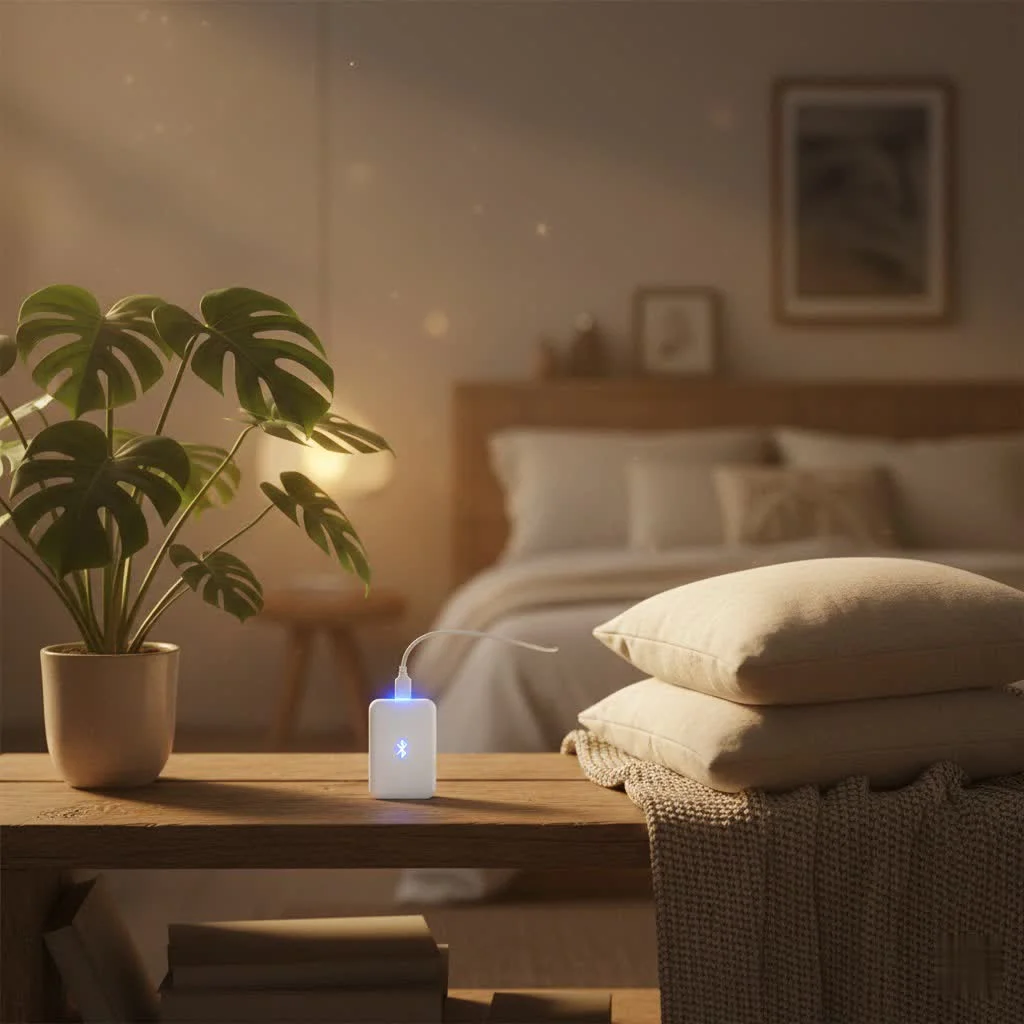
At Qisac.com, with over a decade of experience in Bluetooth dongle technology, we aim to clarify the functionality and benefits of these devices. This guide provides a comprehensive overview of Bluetooth Low Energy dongles, helping you make an informed choice for hassle-free wireless connectivity.
What Exactly is a Bluetooth Low Energy Dongle?
At its core, a Bluetooth Low Energy dongle, often simply called a Bluetooth adapter, is a small, external device designed to bestow Bluetooth capabilities upon hardware that lacks it inherently. Think of it as a wireless upgrade in a compact, often USB-stick form factor. You plug it into an available USB port, and suddenly your desktop can chat with your wireless headphones, connect to smart home devices, or sync with fitness trackers.
The “Low Energy” (LE) part is crucial here. While classic Bluetooth excels at high-bandwidth tasks like streaming audio with complex codecs, Bluetooth Low Energy is engineered for minimal power consumption. It’s the silent workhorse behind the Internet of Things (IoT), ideal for devices that send small packets of data intermittently, like smart sensors, wearables, and beacons. This distinction is vital: a modern Bluetooth Low Energy dongle (typically supporting Bluetooth 4.0 or newer) can handle both Classic Bluetooth and LE protocols, offering broad compatibility.
Why You Need a BLE Dongle: The Benefits Unpacked
The advantages of integrating a Bluetooth Low Energy dongle into your tech setup are manifold, extending far beyond simple device pairing.
Enhanced Connectivity for Older Systems
Many older computers lack built-in Bluetooth, or come with outdated versions that don’t support modern LE features. A dongle provides a cost-effective way to upgrade your system, breathing new life into your hardware and allowing it to communicate with the latest wireless peripherals.
Unmatched Power Efficiency
For devices designed to run on small batteries for extended periods, such as fitness trackers and smart sensors, Bluetooth Low Energy is a major upgrade. It consumes significantly less power than classic Bluetooth, making it perfect for applications where energy conservation is paramount. This translates to longer battery life for your connected gadgets.
Wider Range and Faster Speeds with Modern Standards
|
Our Picks for the Best Bluetooth Dongle in 2026
As an Amazon Associate I earn from qualifying purchases.
|
||
| Num | Product | Action |
|---|---|---|
| 1 | Fardriver Programmable Wireless Adapter Dongle Fardriver Controller Programming Module |

|
| 2 | ASUS USB-BT500 USB Adapter with Ultra Small Design, Bluetooth 5, Backward Compatible with Bluetooth®2.1/3.x/4.x, TAA Compliant (USB-BT500) |
|
| 3 | Fardriver Programmable Bluetooth Dongle for Fardriver Controller, Bluetooth Adapter Compatible with Fardriver E Bike Programming Module |
|
| 4 | Fardriver Bluetooth Dongle,Programmable Adapter,Bluetooth Dongle for Ebike Controller,Compatible with Fardriver Controller |
|
| 5 | Fardriver Programmable Bluetooth Dongle Controller for E-Bike,Programmable Bluetooth Adapter Compatible with Fardriver E Bike |
|
| 6 | Avantree DG45 USB Bluetooth Adapter Dongle for PC, Computer, Desktop & Laptop, Compatible with Windows 11/10/8.1/8 Only - Connects Bluetooth Headphones, Speakers, Keyboards, Mice & Printers (Not 2.4G) |
|
| 7 | Ebike Programmable Bluetooth Dongle for Fardriver Controller,Bluetooth Adapter,Compatible with Soleil01 Electric Bicycles |
|
| 8 | UGREEN USB Bluetooth 5.3 Adapter for PC, Plug & Play for Windows 11/10/8.1, Bluetooth Receiver & Transmitter for Keyboard/Mouse/Headphone/Speakers/Printer |
|
| 9 | TP-Link USB Bluetooth Adapter for PC - Bluetooth 5.4 Dongle Receiver, Plug and Play, Nano Design, EDR & BLE, Supports Windows 11/10/8.1/7 for Desktop, Laptop, Keyboard, Mouse, etc (UB500) |
|
| 10 | TP-Link USB Bluetooth Adapter for PC, Bluetooth 5.3 Long Range Receiver, Plug and Play, Adjustable Antenna, Supports Windows 11/10/8.1/7 for Desktop, Laptop, Keyboard, Mouse, etc (UB500 Plus) |
|
With each new Bluetooth iteration, we see improvements in range, speed, and reliability. Modern Bluetooth Low Energy dongles, especially those supporting Bluetooth 5.0, 5.1, or 5.3, offer significantly increased range, often exceeding 100 meters, and faster data transfer rates compared to older standards. This means more freedom to move your devices without losing connection.
Seamless Multi-Device Pairing
Many contemporary dongles can handle multiple connections simultaneously, often supporting up to seven devices at once. Imagine effortlessly switching between your wireless keyboard, mouse, headphones, and even a gaming controller, all connected to a single, compact adapter.
Portability and Plug-and-Play Convenience
Most BLE dongles are incredibly small and portable, designed to be plugged in and forgotten. For Windows 8.1, 10, and 11 users, many are “plug-and-play,” meaning your operating system automatically installs the necessary drivers, getting you up and running in minutes.
Choosing Your Perfect Match: Key Factors for a BLE Dongle
Selecting the right Bluetooth Low Energy dongle isn’t just about grabbing the cheapest one; it’s about finding the perfect fit for your specific needs. Here’s what to consider:
What Bluetooth Version Do You Really Need?
The Bluetooth version is paramount. While Bluetooth 4.0 introduced Low Energy, newer versions bring significant enhancements:
- Bluetooth 4.0/4.2: Basic BLE support, good for most casual connections.
- Bluetooth 5.0: Offers double the speed, four times the range, and eight times the broadcast messaging capacity compared to Bluetooth 4.2. It’s a sweet spot for modern use.
- Bluetooth 5.1/5.2/5.3: These versions further refine range, speed, and energy efficiency, introduce advanced features like Angle of Arrival (AoA) and Angle of Departure (AoD) for more precise device location, and enhance interference reduction for even more stable connections. Aim for Bluetooth 5.0 or higher if possible, as they are often not much more expensive than older versions.
Understanding Bluetooth Range: Class 1, 2, and 3
Bluetooth devices are categorized into classes based on their transmit power and, consequently, their range:
- Class 1: Provides the longest range, up to 100 meters (330 feet). These are ideal for large spaces or applications where devices are far apart.
- Class 2: The most common class, offering a range of up to 10 meters (30 feet). This is perfectly adequate for most typical home and office setups.
- Class 3: Designed for very short-range connections, up to 1 meter (3 feet). You’ll rarely see a consumer dongle in this class.
For most users, a Class 2 Bluetooth Low Energy dongle will suffice. If you need to connect devices across rooms or in an open-plan office, a Class 1 dongle might be a better investment.
OS Compatibility: Windows, macOS, and Linux
Compatibility with your operating system is non-negotiable.
- Windows: Most modern dongles are “driver-free” for Windows 8.1, 10, and 11, meaning the system handles driver installation automatically. Windows 7 users might need to download specific drivers from the manufacturer’s website.
- macOS: While macOS devices typically have excellent built-in Bluetooth, external dongles are sometimes used for specific development or troubleshooting needs. Compatibility can be more finicky, often requiring dongles specifically advertised as macOS compatible.
- Linux: This is where things can get a bit more hands-on. Many dongles work out of the box, but some newer chipsets might require manual installation of firmware or drivers. The Linux community is strong, and resources often exist for popular chipsets, but be prepared for potential command-line tinkering.
Form Factor and Use Case
Most dongles come in a tiny USB stick form factor, which is discreet and portable. Low-profile designs are great for laptops, as they protrude minimally. Consider your primary use:
- Audiophiles: Look for dongles supporting high-quality audio codecs like aptX or aptX HD for superior sound.
- Gamers: Low latency is key for responsive input. Check reviews for performance in gaming scenarios.
- IoT Developers: Specific dongles might offer advanced features for development and debugging BLE applications.
Expert Insight
“Choosing the right Bluetooth Low Energy dongle is about more than just compatibility; it’s about matching the technology to your lifestyle. As Dr. Alistair Finch, Lead Wireless Architect at Qisac Innovations, I always advise users to consider their primary applications first – whether it’s powering a smart home, enhancing a gaming setup, or simply enabling seamless audio, the right dongle can improve your wireless experience.”
Getting Started: Installing Your Bluetooth Low Energy Dongle
The installation process for a Bluetooth Low Energy dongle is generally straightforward, but there are nuances depending on your operating system.
The Universal First Step: Plug It In!
Regardless of your OS, the journey begins by plugging your new dongle into an available USB port on your computer. Make sure it’s fully seated.
Windows: A Step-by-Step Guide
For Windows users, the process is usually quite smooth:
- Insert the Dongle: Plug the Bluetooth Low Energy dongle into an empty USB port.
- Automatic Driver Installation: For Windows 8.1, 10, and 11, the operating system typically detects the new hardware and automatically installs the necessary drivers. You might see a notification indicating “Device setup complete” or similar.
- Manual Driver Installation (Windows 7/Specific Cases): If you’re on Windows 7 or if the dongle isn’t recognized automatically, you’ll need to visit the dongle manufacturer’s website to download and install the specific drivers for your model.
- Verify Installation (Device Manager):
- Right-click the Start button and select “Device Manager.”
- Look for a “Bluetooth” entry. Expand it to see your adapter listed (e.g., “Realtek Bluetooth 5.1 Adapter”).
- Pairing Your Devices:
- Go to “Settings” > “Devices” > “Bluetooth & other devices.”
- Toggle Bluetooth “On” if it’s not already.
- Click “Add Bluetooth or other device” and select “Bluetooth.”
- Put your desired Bluetooth device (headphones, mouse, etc.) into pairing mode.
- Select your device from the list and follow any on-screen prompts to complete pairing.
Linux: Navigating the Setup
Linux users might need to get their hands a little dirtier, especially if the Bluetooth Low Energy dongle requires specific firmware or kernel modules.
- Insert the Dongle: Plug the dongle into a USB port.
- Check for Recognition: Open a terminal and type
lsusb. Look for an entry corresponding to your dongle (e.g., “Realtek Semiconductor Corp. Bluetooth Radio”). - Identify Chipset and Firmware: If the dongle isn’t working, you might need to identify its chipset (e.g., RTL8761B) and search for specific firmware files. These are often available on GitHub or through community forums.
- Install Firmware: If firmware is needed, download the
.hexor.binfiles and copy them to/lib/firmware/(you’ll need root privileges:sudo cp <firmware_file> /lib/firmware/). - Load Modules: Ensure the
bluetoothandbtusbkernel modules are loaded:
Frequently Asked Questions
What is the main difference between Classic Bluetooth and Bluetooth Low Energy?
Classic Bluetooth is designed for high-bandwidth tasks like streaming audio, while Bluetooth Low Energy (BLE) is engineered for minimal power consumption, ideal for devices sending small data packets intermittently. A modern BLE dongle (Bluetooth 4.0 or newer) typically supports both protocols, offering broad compatibility for various devices.
Which Bluetooth version should I look for in a new dongle?
For optimal performance, aim for a Bluetooth 5.0 or higher dongle. Bluetooth 5.0 offers double the speed, four times the range, and eight times the broadcast messaging capacity compared to Bluetooth 4.2, providing a significant upgrade for modern use cases.
How far can a Class 1 Bluetooth Low Energy dongle reach?
A Class 1 Bluetooth Low Energy dongle provides the longest range, extending up to 100 meters (330 feet). This makes it ideal for large spaces or scenarios where connected devices are situated far apart from the computer.
Are Bluetooth Low Energy dongles compatible with older Windows versions?
Most modern BLE dongles are plug-and-play for Windows 8.1, 10, and 11, automatically installing drivers. For Windows 7 users, manual driver installation from the manufacturer's website is often required to ensure proper functionality.
Can a single BLE dongle connect to multiple devices simultaneously?
Yes, many contemporary Bluetooth Low Energy dongles are capable of handling multiple connections simultaneously. Some models can support up to seven devices at once, allowing for seamless pairing with keyboards, mice, headphones, and other peripherals.
Install a Bluetooth Low Energy Dongle
This guide provides step-by-step instructions for installing a Bluetooth Low Energy dongle on Windows and Linux operating systems, ensuring seamless wireless connectivity.
Insert your new Bluetooth Low Energy dongle into an available USB port on your computer. Ensure it is fully seated to establish a physical connection.
For Windows 8.1, 10, and 11, the operating system typically detects the hardware and installs drivers automatically. Windows 7 users or in specific cases, may need to download drivers from the manufacturer's website.
In Windows, open Device Manager to confirm the Bluetooth adapter is listed. Then, go to Settings > Devices > Bluetooth & other devices, toggle Bluetooth on, and follow prompts to pair your desired devices like headphones or a mouse.
For Linux users, plug in the dongle and open a terminal. Type lsusb to check if the dongle is recognized. If not, you may need to identify its chipset and search for specific firmware files.
If firmware is needed, download the .hex or .bin files and copy them to /lib/firmware/ using root privileges. Ensure the bluetooth and btusb kernel modules are loaded for proper operation.
Pet products vetted on real animals
Practical specs, not advice. Unsubscribe anytime.

This guide really helped me understand the difference between Bluetooth versions. I picked up a Bluetooth 5.0 dongle for my laptop, and the extended range is fantastic. I can walk pretty far from my desk with my headphones on and still maintain a solid connection, easily hitting that 100-meter mark in my open-plan office.
I finally upgraded my old desktop with one of these BLE dongles, and it’s been a game-changer. My old Bluetooth 2.1 was practically useless, but now I can connect my fitness tracker and smart home devices without any issues. The power efficiency is a huge plus too, I don’t even notice it’s there.
I got a dongle to connect my new wireless mouse, and while it works, the setup was a bit more fiddly than I expected. It took a few tries to get the drivers installed correctly on my older Windows 7 machine. Once it was running, though, the connection has been stable, so it’s decent for the price.
My computer didn’t have any built-in Bluetooth, so a BLE dongle was essential for me. I use it primarily for my wireless headphones and it connects instantly every time. It’s great to finally have seamless audio without any wires getting in the way, and the minimal power consumption is a nice bonus.