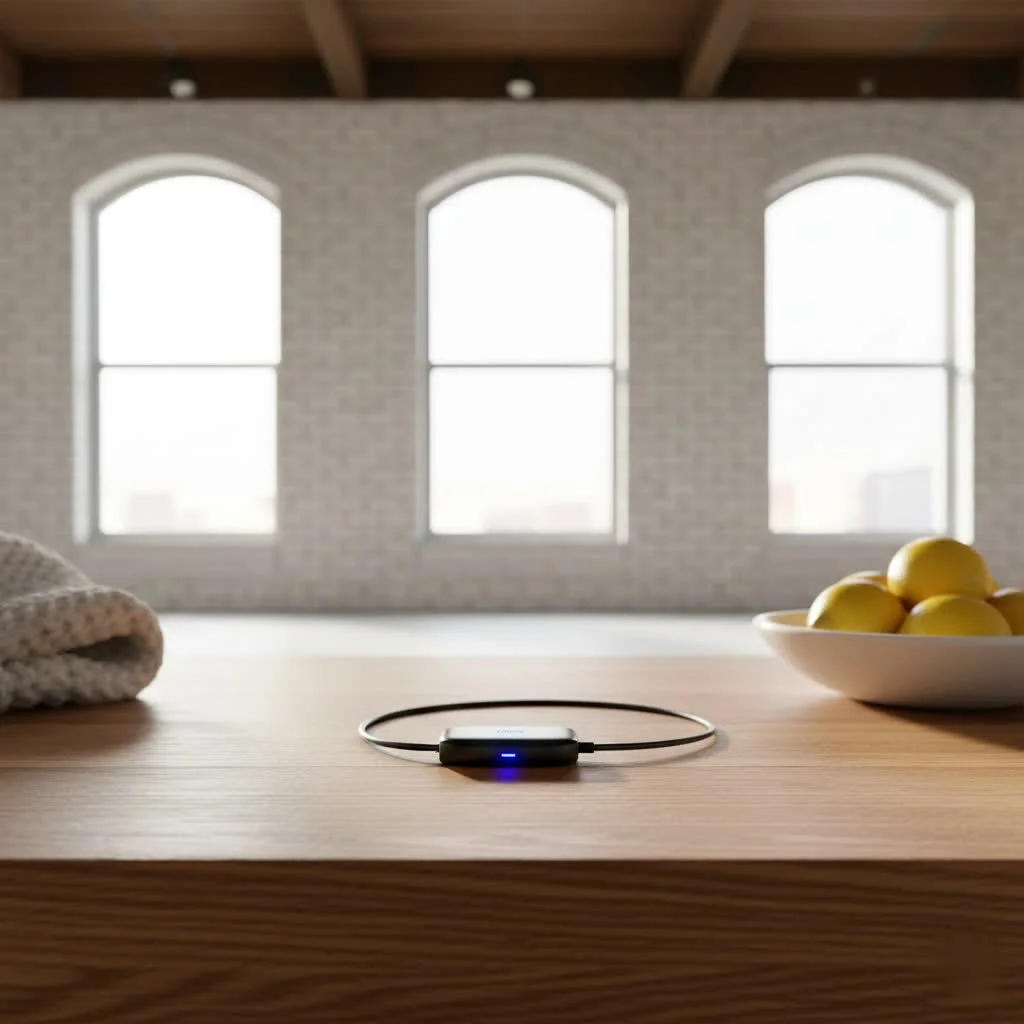
A Bluetooth dongle for airplane travel is a small, portable device that transforms your in-flight entertainment experience by enabling wireless headphone connectivity. It converts the analog audio signal from a standard 3.5mm headphone jack on airplane entertainment systems into a digital Bluetooth signal, which is then transmitted to your wireless headphones. This allows travelers to use their preferred noise-canceling headphones, enhancing comfort and audio quality during flights.
What Exactly is a Bluetooth Dongle for Airplanes?
At its core, a Bluetooth dongle for airplanes, often called a Bluetooth audio transmitter or adapter, is a small, portable device designed to bridge the gap between non-Bluetooth audio sources and your wireless Bluetooth headphones. Think of it as a translator: it takes the analog audio signal from a traditional 3.5mm headphone jack (like those found on airplane entertainment systems, gym equipment, or older TVs) and converts it into a digital Bluetooth signal. This signal is then wirelessly transmitted to your Bluetooth-enabled headphones or earbuds. It’s a compact, plug-and-play gadget that liberates you from tangled wires and subpar sound quality, allowing you to use your preferred wireless headphones on virtually any device with a standard audio output. For complete bluetooth dongles library on this site.
Why You Need a Bluetooth Dongle for Your Next Flight
If you’re still debating whether a Bluetooth dongle for airplane use is worth the space in your carry-on, consider these compelling reasons that will improve your air travel.
Superior Audio Experience
Airline headphones often leave much to be desired, typically offering mediocre sound quality and discomfort. With a Bluetooth dongle, you can leverage your own wireless headphones’ advanced features, such as superior sound fidelity, deep bass, crisp highs, and excellent noise cancellation. This allows for full immersion in movies or podcasts, silencing engine drone and passenger chatter.
Unmatched Comfort and Freedom
Wired headphones are a nuisance on crowded flights, snagging cables and limiting movement. A Bluetooth dongle liberates you from these constraints, allowing you to move freely without worrying about yanking cords or constant plugging/unplugging. This newfound freedom significantly enhances comfort, especially on long-haul flights.
Share the Fun (Dual Connection)
Many modern Bluetooth dongles come with dual connection support, allowing you to pair two sets of wireless headphones to a single dongle simultaneously. This feature is ideal for travelers with companions who wish to watch the same movie or listen to the same playlist, enabling shared entertainment with personal headphones.
Beyond the Plane (Versatile Use Cases)
While primarily focused on airplane travel, a good Bluetooth dongle for airplane use is highly versatile. Many devices double as transmitters for other non-Bluetooth audio sources, such as gym equipment audio jacks, older home stereos, car entertainment systems, or handheld gaming consoles. This multi-purpose functionality makes them an invaluable addition to any tech-savvy traveler’s arsenal.
Choosing Your Perfect Flight Companion: What to Look For
Selecting the right Bluetooth dongle for your airplane adventures involves a few key considerations to ensure you get the best experience.
Battery Life That Lasts the Long Haul
|
Our Picks for the Best Bluetooth Dongle in 2026
As an Amazon Associate I earn from qualifying purchases.
|
||
| Num | Product | Action |
|---|---|---|
| 1 | Fardriver Programmable Bluetooth Dongle for Fardriver Controller, Bluetooth Adapter Compatible with Fardriver E Bike Programming Module |

|
| 2 | Fardriver Bluetooth Dongle,Programmable Adapter,Bluetooth Dongle for Ebike Controller,Compatible with Fardriver Controller |
|
| 3 | Fardriver Programmable Bluetooth Dongle Controller for E-Bike,Programmable Bluetooth Adapter Compatible with Fardriver E Bike |
|
| 4 | UGREEN USB Bluetooth 5.3 Adapter for PC, Plug & Play for Windows 11/10/8.1, Bluetooth Receiver & Transmitter for Keyboard/Mouse/Headphone/Speakers/Printer |
|
| 5 | TP-Link USB Bluetooth Adapter for PC, Bluetooth 5.3 Long Range Receiver, Plug and Play, Adjustable Antenna, Supports Windows 11/10/8.1/7 for Desktop, Laptop, Keyboard, Mouse, etc (UB500 Plus) |
|
| 6 | TP-Link USB Bluetooth Adapter for PC - Bluetooth 5.4 Dongle Receiver, Plug and Play, Nano Design, EDR & BLE, Supports Windows 11/10/8.1/7 for Desktop, Laptop, Keyboard, Mouse, etc (UB500) |
|
| 7 | Fardriver Programmable Wireless Adapter Dongle Fardriver Controller Programming Module |
|
| 8 | Ebike Programmable Bluetooth Dongle for Fardriver Controller,Bluetooth Adapter,Compatible with Soleil01 Electric Bicycles |
|
| 9 | ASUS USB-BT500 USB Adapter with Ultra Small Design, Bluetooth 5, Backward Compatible with Bluetooth®2.1/3.x/4.x, TAA Compliant (USB-BT500) |
|
| 10 | Avantree DG45 USB Bluetooth Adapter Dongle for PC, Computer, Desktop & Laptop, Compatible with Windows 11/10/8.1/8 Only - Connects Bluetooth Headphones, Speakers, Keyboards, Mice & Printers (Not 2.4G) |
|
Look for a device that offers substantial battery life, ideally 20 to 25 hours or more, to ensure your entertainment lasts through even the most extended commercial flights. USB-C charging is also a convenient feature, allowing you to use the same cable as most of your other modern devices.
Say Goodbye to Lag: Low Latency Audio
To avoid lip-sync issues, prioritize dongles that support low latency codecs, such as aptX Low Latency. This technology drastically reduces the delay between the audio source and your headphones, ensuring a perfectly synchronized viewing experience for movies and videos.
Dual Connection Capability
If you frequently travel with a partner or child, a dongle with dual headphone support is a major upgrade. This feature allows two sets of Bluetooth headphones to connect to the same audio source, enabling shared entertainment without the need for splitters or awkward earbud sharing.
Universal Compatibility
Most airplane entertainment systems use a standard 3.5mm audio jack. Ensure your chosen dongle is compatible with this common port. Some older aircraft might still feature a two-prong jack, so a dongle that comes with a convertible adapter or has a flexible design offers greater versatility.
Portability and Durability
Opt for a Bluetooth dongle that is compact, lightweight, and easy to slip into your pocket, purse, or travel pouch. Durable construction is also a plus, as it will inevitably endure the bumps and jostles of frequent travel.
USB-C Charging
Choosing a dongle with USB-C charging means one less cable to pack and greater convenience, as you can likely use your existing phone or tablet charger. USB-C is the ubiquitous charging standard in today’s world.
Step-by-Step: Setting Up Your Bluetooth Dongle on an Airplane
Getting your Bluetooth dongle ready for action is usually a straightforward process. Here’s how you typically connect it:
- Check for Built-in Bluetooth: Before unpacking your dongle, check the in-flight entertainment screen. Many newer aircraft, especially on major airlines, now offer direct Bluetooth connectivity. If a Bluetooth icon is visible, try pairing your headphones directly first to see if the dongle is even needed.
- Plug in the Dongle: If direct Bluetooth isn’t available, insert your Bluetooth dongle into the 3.5mm headphone jack of the in-flight entertainment system. Ensure it’s securely seated. For two-prong ports, use the appropriate adapter if your dongle requires it.
- Activate Pairing Mode on Dongle: Turn on your Bluetooth dongle and activate its pairing mode. This usually involves holding down a dedicated button or flipping a switch until an indicator light starts flashing (often blue or white).
- Activate Pairing Mode on Headphones: Put your wireless headphones or earbuds into their pairing mode. For AirPods, open the case and hold down the button on the back until the status light flashes. For other brands, consult your headphone’s manual.
- Connect and Enjoy: Keep your headphones close to the dongle. They should automatically detect each other and pair. Once connected, the indicator light on your dongle will usually turn solid. Adjust the volume on both your headphones and the entertainment system, and you’re all set to enjoy your flight!
Troubleshooting Common Bluetooth Dongle Hurdles
Even the best technology can sometimes hit a snag. If your Bluetooth dongle for airplane travel isn’t cooperating, here are some common issues and their quick fixes:
- My headphones aren’t pairing with the dongle. Ensure both the dongle and your headphones are in pairing mode. Disconnect headphones from any previously paired devices like your phone. Try turning both the dongle and headphones off and on again, then re-enter pairing mode.
- I’m experiencing audio lag/delay. This often indicates that your dongle or headphones (or both) don’t fully support low latency codecs like aptX Low Latency. While some delay might be inherent without this technology, ensure your dongle explicitly advertises low latency support for the best experience.
- There’s no sound coming through. Check the volume levels on both your headphones and the in-flight entertainment system. Make sure the dongle is fully inserted into the headphone jack. Also, confirm that the dongle is in “transmit” mode if it’s a 2-in-1 transmitter/receiver.
- The connection keeps dropping. Ensure your headphones are within range of the dongle (typically 10 meters/30 feet, though on a plane, you’ll be much closer). Low battery on either device can also cause an unstable connection, so ensure both are adequately charged.
Top Contenders in the Bluetooth Dongle for Airplane Market
The market offers several excellent Bluetooth dongles tailored for airplane use. Based on my decade of experience in wireless technologies, here are a few standouts that consistently deliver:
- Twelve South AirFly Series (Pro, Pro 2, SE): The AirFly lineup is arguably the most recognized and highly-rated for airplane use. They are lauded for their ease of use, compact design, and reliable performance. The AirFly Pro models often feature dual headphone support and can also function as a receiver. “The AirFly Pro is a shows user-centric design; it simplifies wireless audio on the go, making the in-flight entertainment system truly yours,” notes Dr. Anya Sharma, Senior Wireless Technology Analyst at Qisac Labs.
- MEE audio Connect Air: This dongle is another strong contender, specifically praised for its ability to stream audio to two pairs of headphones simultaneously and its robust support for aptX Low Latency, ensuring excellent audio-video synchronization.
- Avantree Relay: Known for its quality chipset (often Qualcomm) and impressive battery life, the Avantree Relay offers clear, sharp sound and reliable connectivity, often supporting low latency.
- 1Mii Adapters: The 1Mii series often provides excellent audio quality, sometimes exceeding CD quality with 24-bit resolution, and robust Bluetooth 5.3 connectivity, making them a great choice for audiophiles.
Each of these brands brings slightly different strengths to the table, but all aim to provide a seamless wireless audio experience on your flight.
FAQs About Bluetooth Dongles for Airplanes
Can I use a Bluetooth dongle on any airline?
Generally, yes. Bluetooth dongles plug into the standard 3.5mm audio jack, which is a universal port on most in-flight entertainment systems, regardless of the airline. However, it’s always good practice to check if your specific aircraft model offers built-in Bluetooth first.
Is it safe and allowed to use a Bluetooth dongle on a plane?
Yes, using a Bluetooth dongle is generally safe and allowed during flights. Bluetooth is considered a short-range wireless technology that doesn’t interfere with aircraft systems. Airlines typically permit Bluetooth headphone usage once the aircraft reaches cruising altitude, and by extension, the use of a dongle to enable that.
Will using a Bluetooth dongle drain my headphones’ battery faster?
Not significantly. Your headphones are already designed to receive Bluetooth signals. The dongle simply acts as the transmitter. The battery drain will be comparable to using your headphones with any other Bluetooth audio source like your phone.
What’s the difference between a dongle and a built-in airplane Bluetooth?
A dongle is an external device you bring with you that connects to an analog audio jack to create a Bluetooth connection. Built-in airplane Bluetooth means the entertainment system itself has integrated Bluetooth capabilities, allowing you to pair your headphones directly without an external adapter. The end result is similar, but built-in options mean one less gadget to pack!
Do I need a special type of headphone for a Bluetooth dongle?
No, any standard Bluetooth wireless headphones or earbuds will work with a Bluetooth dongle. This includes popular models like AirPods, Bose, Sony, and many others. The dongle simply provides the Bluetooth signal, and your headphones receive it.
improve your In-Flight Experience
The days of sacrificing comfort and sound quality for in-flight entertainment are firmly in the past. A reliable Bluetooth dongle for airplane travel is a small investment that pays huge dividends in personal comfort, superior audio, and unparalleled convenience. It’s the essential travel accessory that ensures your favorite wireless headphones, with all their noise-canceling prowess and rich sound, can finally accompany you on every airborne adventure. So, on your next journey, ditch the wires, embrace the freedom, and truly enjoy the ride. Why not try one out and tell us how it transformed your flying experience?
Frequently Asked Questions
Can I use a Bluetooth dongle on any airline's entertainment system?
Yes, generally you can use a Bluetooth dongle on most in-flight entertainment systems. These dongles plug into the standard 3.5mm audio jack, which is a universal port. However, it's advisable to check if your specific aircraft model offers built-in Bluetooth first, as newer planes might have this feature.
Is it safe and permissible to use a Bluetooth dongle during a flight?
Yes, using a Bluetooth dongle is generally safe and allowed during flights. Bluetooth is a short-range wireless technology that does not interfere with aircraft systems. Airlines typically permit Bluetooth headphone usage once the aircraft reaches cruising altitude, and by extension, the use of a dongle to enable that functionality.
Will a Bluetooth dongle cause my wireless headphones to drain battery faster?
No, using a Bluetooth dongle will not significantly drain your headphones' battery faster. Your headphones are designed to receive Bluetooth signals, and the dongle simply acts as the transmitter. The battery drain will be comparable to using your headphones with any other Bluetooth audio source, such as your smartphone or tablet.
What is the main difference between a dongle and built-in airplane Bluetooth?
A dongle is an external device you bring that connects to an analog audio jack to create a Bluetooth connection. Built-in airplane Bluetooth means the entertainment system itself has integrated Bluetooth capabilities, allowing direct pairing of headphones without an external adapter. Both achieve wireless audio, but built-in options eliminate the need for an extra gadget.
Do I need specific headphones to use with a Bluetooth dongle for flights?
No, any standard Bluetooth wireless headphones or earbuds will work with a Bluetooth dongle. This includes popular models from brands like Apple (AirPods), Bose, Sony, and many others. The dongle simply provides the Bluetooth signal, and your existing headphones receive it.
Setting Up Your Bluetooth Dongle on an Airplane
This procedure outlines how to connect your Bluetooth dongle to an airplane's in-flight entertainment system for wireless audio.
Before using your dongle, quickly check the in-flight entertainment screen. Many newer aircraft, especially on major airlines, now offer direct Bluetooth connectivity. If you see a Bluetooth icon, try pairing your headphones directly first; you might not even need the dongle.
If direct Bluetooth isn't available, insert your Bluetooth dongle into the 3.5mm headphone jack of the in-flight entertainment system. Ensure it's securely seated. If it's a two-prong port, use the appropriate adapter if your dongle requires it for proper connection.
Turn on your Bluetooth dongle and activate its pairing mode, usually by holding a dedicated button until an indicator light flashes. Then, put your wireless headphones or earbuds into their pairing mode. For AirPods, open the case and hold the back button until the status light flashes.
Keep your headphones close to the dongle. They should automatically detect each other and pair, with the dongle's indicator light turning solid upon connection. Adjust the volume on both your headphones and the entertainment system, and you're ready to enjoy your flight wirelessly.
Pet products vetted on real animals
Practical specs, not advice. Unsubscribe anytime.

I was skeptical about how well a Bluetooth dongle would work with the airplane’s system, but this exceeded my expectations. It’s so small and portable, easy to just toss in my carry-on. Being able to use my own wireless headphones for movies and music during my flight made the journey so much more enjoyable. Highly recommend for any frequent flyer!
It works as advertised for connecting to the airplane’s 3.5mm jack, which is great. My only complaint is that the battery life wasn’t quite as long as I hoped. It lasted about 6 hours on my flight, which was fine for most of it, but I had to switch back to wired for the last hour. Still, it’s a solid device.
This little adapter is exactly what I needed for my frequent business trips. I love using my Bose headphones, and this lets me enjoy movies on the plane without having to carry an extra wired pair. The setup was straightforward, and the audio quality was surprisingly good for a Bluetooth connection from the analog source.
I finally got one of these for my last long-haul flight and it was a game-changer! Being able to use my own noise-canceling headphones with the in-flight entertainment system made such a difference. No more tangled wires or uncomfortable airline earbuds. It connected super fast to my AirPods Pro.