Ever wished you could make your favorite wired headphones wireless, or stream music from your phone to that classic stereo system without a tangled mess of cables? You’re not alone! In a world increasingly dominated by wireless convenience, older audio equipment or even just your trusty wired headphones can sometimes feel left behind. That’s where the humble yet powerful Bluetooth Dongle Headphone Jack comes into play, acting as a magic bridge between your modern devices and your beloved legacy audio gear.
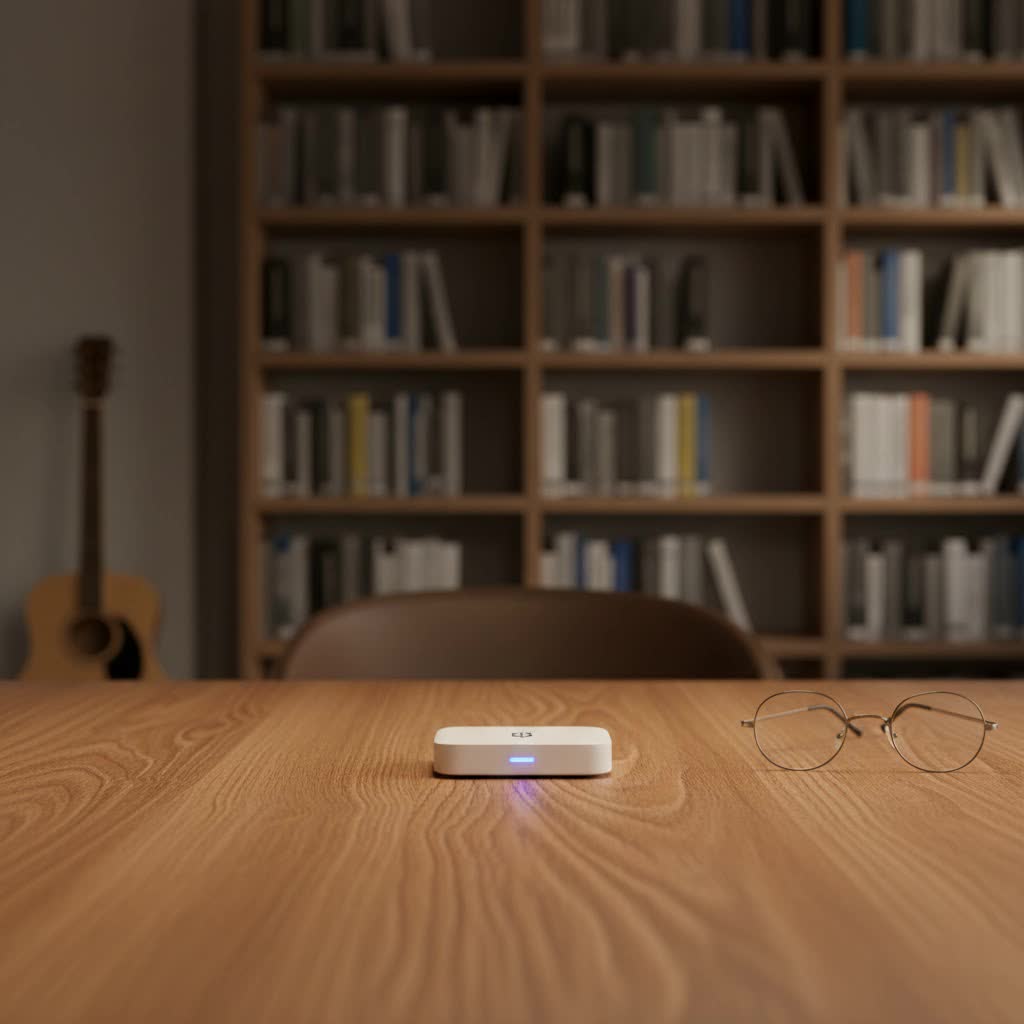
At Qisac.com, we understand the frustration of limited connectivity. With over a decade of hands-on experience in wireless technology, I’ve seen how a simple bluetooth dongle headphone jack can revolutionize your audio experience. This guide will dive deep into everything you need to know, from choosing the right one to mastering its setup and troubleshooting common hiccups. Get ready to reclaim your audio freedom!
What Exactly is a Bluetooth Dongle Headphone Jack?
So, what exactly are we talking about when we say “bluetooth dongle headphone jack”? Simply put, it’s a compact adapter designed to plug into a standard 3.5mm audio jack, instantly bestowing Bluetooth capabilities upon the device it’s connected to. Think of it as an instant upgrade kit for your audio world.
The key distinction for these dongles is their primary function:
- Receivers: Most commonly, a bluetooth dongle headphone jack acts as a receiver. You plug it into an audio input (like your wired headphones, car AUX port, or a speaker’s line-in), and it receives Bluetooth audio signals from your phone, tablet, or computer. This turns your wired device into a Bluetooth-enabled one, ready to play wireless tunes.
- Transmitters: Less common for the “headphone jack” moniker but equally vital, some dongles are transmitters. These plug into an audio output (like a TV’s headphone jack or an old iPod) and send that audio wirelessly to Bluetooth headphones or speakers.
- Transceivers (2-in-1): The most versatile units can do both! They often have a switch to toggle between transmit (TX) and receive (RX) modes, offering maximum flexibility.
The magic happens through a small integrated circuit that translates the Bluetooth wireless signal into an analog audio signal (for receivers) or vice-versa (for transmitters), which then flows through the 3.5mm jack.
Why Do You Need a Bluetooth Dongle for Your Headphone Jack?
The reasons people reach for a bluetooth dongle headphone jack are diverse, but they all boil down to one thing: convenience and compatibility.
- Reviving Old Tech: Do you have a fantastic car stereo with an AUX input but no Bluetooth? Or a vintage Hi-Fi system that sounds incredible but feels stuck in the past? A Bluetooth receiver dongle can breathe new life into these cherished devices, allowing you to stream Spotify or podcasts directly from your smartphone.
- Making Wired Headphones Wireless: Many audiophiles still prefer the sound quality or comfort of their wired headphones. A small receiver dongle can clip onto your clothing or sit near your headphones, converting them into wireless wonders without sacrificing your preferred cans. This is perfect for gym sessions, commutes, or just moving around the house without being tethered to your device.
- Connecting Non-Bluetooth Speakers: Imagine hosting a gathering and wanting to play music through your powerful, non-Bluetooth bookshelf speakers directly from your phone. A dongle makes this effortless, turning any speaker with a 3.5mm input into a Bluetooth powerhouse.
“These dongles aren’t just about convenience; they’re about extending the life and utility of your existing audio investments,” says Dr. Anya Sharma, Lead Wireless Architect at Qisac.com. “They bridge the gap between yesterday’s hardware and today’s wireless demands, elegantly and affordably.”
Understanding the Different Kinds of Bluetooth Dongles for Audio
While the term “Bluetooth dongle” might initially make you think of the small USB sticks used to add Bluetooth to a PC, the bluetooth dongle headphone jack category is distinct and focuses solely on audio connectivity.
Here’s a closer look at the types you’ll encounter when dealing with 3.5mm audio:
- Dedicated Bluetooth Audio Receivers: These are the most common type. They are designed to plug into an audio input (like an AUX port) and receive audio from a Bluetooth-enabled source (like your phone). They usually draw power from an internal battery (rechargeable via USB) or directly from a USB port.
- Dedicated Bluetooth Audio Transmitters: These dongles connect to an audio output (e.g., a TV’s headphone jack, a non-Bluetooth MP3 player) and send the audio wirelessly to Bluetooth headphones or speakers. They are essential for devices that only have analog audio outputs.
- Bluetooth Transceivers (TX/RX): The ultimate all-rounder. These devices offer both transmit and receive modes, often switchable with a physical button or toggle. They provide maximum flexibility, allowing you to use them in various scenarios from turning wired headphones wireless to sending TV audio to Bluetooth earbuds.
- Power Sources:
- Battery-powered: Ideal for portability, such as making wired headphones wireless or using in a car without a USB port. Battery life varies significantly.
- USB-powered: These dongles require a constant power source, typically a USB port. Great for home stereo systems or car setups where a USB port is readily available.
Understanding these types is crucial for selecting the right bluetooth dongle headphone jack that perfectly matches your specific needs.
Choosing the Right Bluetooth Dongle for Your Headphone Jack
Selecting the perfect bluetooth dongle headphone jack might seem straightforward, but a few key specifications can significantly impact your audio experience. Here’s what to look for:
- Bluetooth Version: Always aim for the latest stable version, such as Bluetooth 5.0, 5.1, 5.2, or even 5.3. Newer versions offer improved range, faster connection speeds, enhanced stability, and better power efficiency. While backward compatible, a newer dongle paired with a newer source device will yield the best results.
- Audio Quality (Codecs): This is a game-changer for sound enthusiasts.
- SBC (Subband Coding): The universal default, offers basic quality.
- AAC (Advanced Audio Coding): Often preferred by Apple devices, provides better quality than SBC.
- aptX: A family of codecs (aptX, aptX HD, aptX Low Latency) that offers near CD-quality audio and significantly reduces latency. For the best experience, both your source device and the dongle must support the same aptX variant. aptX HD provides high-resolution audio, while aptX Low Latency is crucial for video synchronization.
- Battery Life (for portable receivers): If you’re going wireless with headphones or in a car, battery life is paramount. Look for dongles offering 8-15+ hours of playtime on a single charge.
- Range and Signal Stability: A good dongle should offer a stable connection up to 30 feet (10 meters) or more, even with minor obstacles. Check user reviews for real-world performance.
- Multi-device Pairing: Some advanced dongles can remember multiple devices or even connect to two Bluetooth devices simultaneously, allowing you to share audio or switch between sources effortlessly.
- Latency: For watching videos or gaming, latency (audio delay) is critical. Look for dongles supporting aptX Low Latency to minimize this lag, ensuring audio and video remain perfectly synchronized.
- Form Factor and Portability: How small and unobtrusive do you need it to be? Consider clip-on designs for headphones or compact units for car dashboards.
Setting Up Your Bluetooth Dongle Headphone Jack: A Step-by-Step Guide
Getting your new bluetooth dongle headphone jack up and running is typically a breeze. Follow these simple steps:
- Charge/Power On: If your dongle is battery-powered, ensure it’s fully charged using the provided USB cable. If it’s USB-powered, plug it into a power source (e.g., a USB wall adapter, car charger, or computer USB port).
- Plug It In: Connect the 3.5mm jack of the dongle into the audio input (for receivers) or output (for transmitters) of your target device (e.g., your wired headphones, car AUX port, stereo receiver, or TV headphone jack).
- Enter Pairing Mode: Most dongles have a power button that, when held down for a few seconds, will put them into “pairing mode.” You’ll usually see a flashing LED light (often blue or red/blue alternating) indicating it’s ready to connect.
- Connect from Your Source Device:
- On your smartphone, tablet, or computer, go to your Bluetooth settings.
- Ensure Bluetooth is turned on.
- Scan for new devices.
- You should see your dongle appear in the list (often with a brand name like “Anker Soundsync” or a generic “BT Receiver”).
- Tap on its name to connect.
- Once connected, the LED on the dongle will typically stop flashing and become solid.
- Test Your Audio: Play some music or a video from your source device. You should now hear the audio coming through your newly Bluetooth-enabled headphones or speakers. Adjust the volume on both your source device and the connected audio equipment.
Troubleshooting Common Issues with Your Bluetooth Dongle
Even the best bluetooth dongle headphone jack can sometimes act up. Here’s how to tackle common problems:
My dongle isn’t connecting to my phone/device.
- Check Power: Is the dongle charged or powered on?
- Pairing Mode: Is the dongle actually in pairing mode (flashing LED)? If not, hold the power button to re-enter it.
- Bluetooth On: Is Bluetooth enabled on your source device?
- Forget and Re-pair: Sometimes, old Bluetooth connections can cause issues. On your phone, “forget” or “unpair” the dongle, then try to pair it again from scratch.
- Distance: Are the devices too far apart? Keep them within a few feet during pairing.
- Interference: Other wireless devices (Wi-Fi routers, microwaves) can cause interference. Move away from them.
|
Our Picks for the Best Bluetooth Dongle in 2026
As an Amazon Associate I earn from qualifying purchases.
|
||
| Num | Product | Action |
|---|---|---|
| 1 | Fardriver Programmable Wireless Adapter Dongle Fardriver Controller Programming Module |

|
| 2 | TP-Link USB Bluetooth Adapter for PC, Bluetooth 5.3 Long Range Receiver, Plug and Play, Adjustable Antenna, Supports Windows 11/10/8.1/7 for Desktop, Laptop, Keyboard, Mouse, etc (UB500 Plus) |
|
| 3 | ASUS USB-BT500 USB Adapter with Ultra Small Design, Bluetooth 5, Backward Compatible with Bluetooth®2.1/3.x/4.x, TAA Compliant (USB-BT500) |
|
| 4 | Ebike Programmable Bluetooth Dongle for Fardriver Controller,Bluetooth Adapter,Compatible with Soleil01 Electric Bicycles |
|
| 5 | Fardriver Bluetooth Dongle,Programmable Adapter,Bluetooth Dongle for Ebike Controller,Compatible with Fardriver Controller |
|
| 6 | Fardriver Programmable Bluetooth Dongle for Fardriver Controller, Bluetooth Adapter Compatible with Fardriver E Bike Programming Module |
|
| 7 | TP-Link USB Bluetooth Adapter for PC - Bluetooth 5.4 Dongle Receiver, Plug and Play, Nano Design, EDR & BLE, Supports Windows 11/10/8.1/7 for Desktop, Laptop, Keyboard, Mouse, etc (UB500) |
|
| 8 | Fardriver Programmable Bluetooth Dongle Controller for E-Bike,Programmable Bluetooth Adapter Compatible with Fardriver E Bike |
|
| 9 | UGREEN USB Bluetooth 5.3 Adapter for PC, Plug & Play for Windows 11/10/8.1, Bluetooth Receiver & Transmitter for Keyboard/Mouse/Headphone/Speakers/Printer |
|
| 10 | Avantree DG45 USB Bluetooth Adapter Dongle for PC, Computer, Desktop & Laptop, Compatible with Windows 11/10/8.1/8 Only - Connects Bluetooth Headphones, Speakers, Keyboards, Mice & Printers (Not 2.4G) |
|
Why is the audio quality poor or cutting out?
- Distance and Obstacles: Bluetooth range is limited. Move closer to the dongle and ensure no thick walls or large metal objects are between your source and the dongle.
- Interference: As above, other electronics can disrupt the signal.
- Battery Level: A low battery on the dongle or your source device can affect performance.
- Codec Mismatch: Ensure both devices support optimal audio codecs (like aptX) for the best quality. If one device only supports SBC, that will be the default.
- Source Audio Quality: If the audio file itself is low quality, no dongle can magically improve it.
There’s a delay between video and audio (latency).
- aptX Low Latency: If you’re experiencing noticeable lag, especially with video, your dongle might not support aptX Low Latency. This codec is specifically designed to minimize audio delay. Both your source device and the dongle need to support it for it to work.
- Restart: Sometimes a simple restart of both devices can help.
My device won’t charge.
- Cable Check: Ensure the charging cable is securely plugged in at both ends and isn’t damaged.
- Power Source: Try a different USB power adapter or port.
- Charging Indicator: Look for a charging indicator light on the dongle (usually red while charging, turning off or blue when full).
Top Bluetooth Dongle Headphone Jack Brands and Products
While specific product recommendations can become outdated quickly, focusing on reputable brands known for their audio accessories is a safe bet. Look for manufacturers that consistently deliver reliable connectivity, good battery life, and support for advanced audio codecs.
Some brands that frequently offer high-quality bluetooth dongle headphone jack solutions include:
- Anker: Known for reliable power banks and charging accessories, Anker also produces excellent audio dongles that are often praised for their build quality and stable connections.
- TP-Link: While more recognized for networking gear, TP-Link offers solid and affordable Bluetooth adapters.
- UGREEN: A popular brand for various tech accessories, UGREEN often has well-reviewed Bluetooth audio solutions.
- MPOW/TaoTronics (now Patozon): These brands were once ubiquitous for affordable and feature-rich Bluetooth audio products, including receivers and transmitters. While branding might shift, the underlying quality can still be found in their newer offerings.
- Avantree: Specializes in high-quality Bluetooth audio products, often focusing on aptX Low Latency and advanced features. They are a go-to for serious audio users.
When browsing, always check user reviews, especially those detailing connectivity, sound quality, and battery performance, to ensure you’re getting a product that aligns with your expectations.
Frequently Asked Questions
What is a Bluetooth dongle headphone jack used for?
A bluetooth dongle headphone jack is primarily used to add Bluetooth receiving or transmitting capabilities to devices that only have a standard 3.5mm audio jack, allowing wired headphones or speakers to go wireless, or to stream audio from non-Bluetooth sources like TVs to Bluetooth headphones.
Can I use a Bluetooth dongle with wired headphones?
Absolutely! This is one of the most common and convenient uses for a Bluetooth receiver dongle. You simply plug the dongle into your wired headphones’ 3.5mm jack, pair it with your phone, and enjoy wireless audio.
Does a Bluetooth dongle improve sound quality?
A Bluetooth dongle itself doesn’t inherently improve sound quality. However, a high-quality dongle that supports advanced audio codecs like aptX HD or AAC, when paired with a compatible source device, can deliver significantly better audio fidelity than basic SBC codecs, making your wireless listening experience much richer.
What’s the difference between a Bluetooth receiver and a transmitter?
A Bluetooth receiver plugs into an audio input (like headphones or speakers) and receives audio wirelessly from a source device (like a phone). A Bluetooth transmitter plugs into an audio output (like a TV or MP3 player) and sends that audio wirelessly to Bluetooth headphones or speakers.
How far can a Bluetooth dongle headphone jack reach?
Most standard bluetooth dongle headphone jack devices offer a range of about 10 meters (33 feet) in an open environment. Factors like obstacles (walls, furniture), interference from other wireless devices, and the Bluetooth version can affect the actual usable range.
Do I need to charge a Bluetooth dongle?
Many bluetooth dongle headphone jack receivers are battery-powered and require regular charging via a micro-USB or USB-C cable. Some models, especially those designed for car use or home stereos, might draw power directly from a USB port, eliminating the need for internal batteries.
Can I connect multiple devices to one dongle?
Some advanced Bluetooth dongles offer multi-point pairing, allowing them to connect to two Bluetooth source devices simultaneously. This means you could, for example, have your phone and tablet connected to the same dongle and switch between audio sources without manually re-pairing.
Conclusion
The bluetooth dongle headphone jack is a small device with a massive impact, bringing the power of wireless audio to virtually any piece of equipment with a 3.5mm jack. Whether you’re looking to modernize an old stereo, free your favorite headphones from their cables, or simply enhance your car’s audio system, there’s a dongle out there for you.
By understanding the different types, knowing what to look for in terms of Bluetooth version and audio codecs, and following a few simple setup and troubleshooting tips, you can confidently choose and utilize this invaluable gadget. Embrace the freedom and flexibility that a well-chosen bluetooth dongle headphone jack offers, and elevate your audio experience today! Head over to Qisac.com for more in-depth reviews and expert insights into making the most of your wireless world.
