Imagine diving into the vibrant worlds of your PlayStation 5, completely untethered, with your favorite Bluetooth headphones delivering crystal-clear audio. Many gamers find themselves wondering why their beloved wireless headset, which works flawlessly with their phone or PC, just won’t connect directly to their PS5. You’re not alone! While the PS5 is a marvel of gaming technology, its native Bluetooth capabilities have certain limitations, especially when it comes to third-party audio devices. This is where a trusty Bluetooth Dongle For Ps5 becomes your ultimate game-changer, bridging the gap between your console and your preferred wireless audio gear.
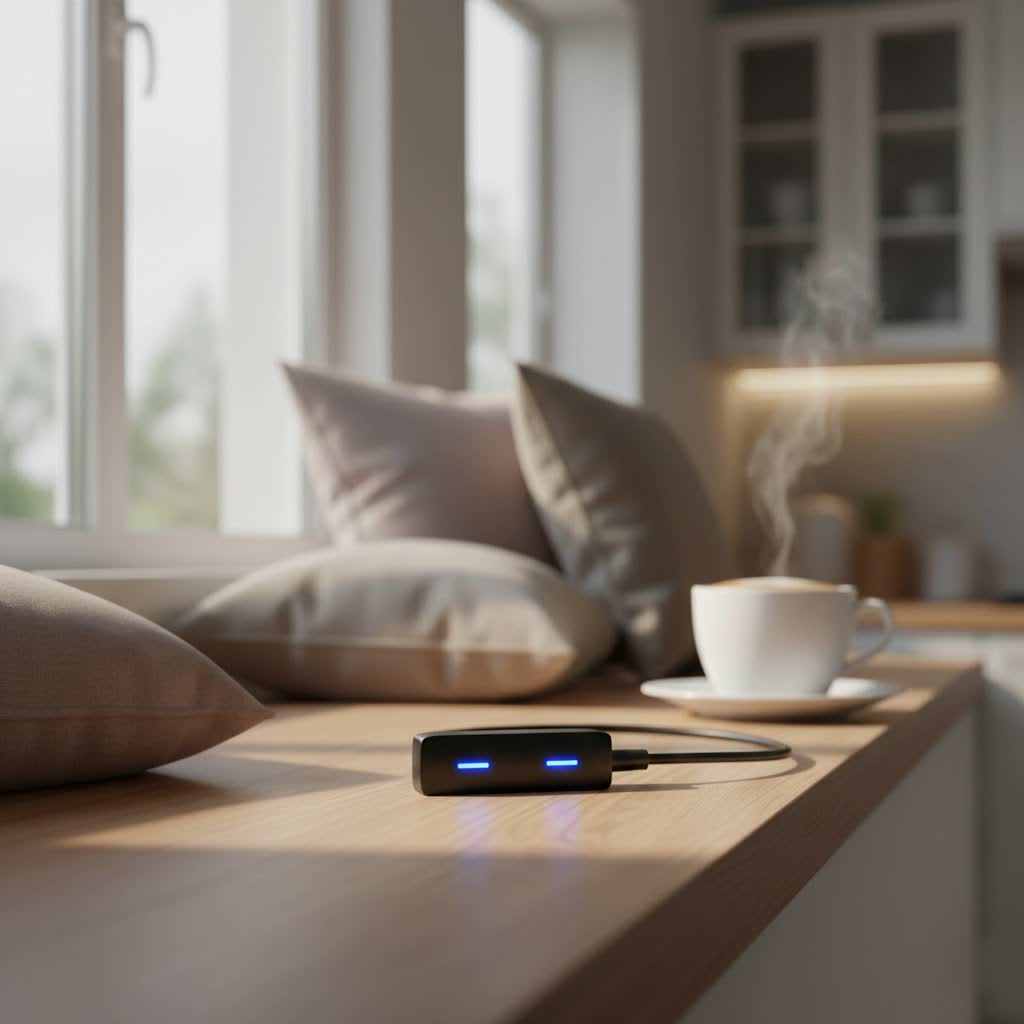
At Qisac.com, we understand the nuances of wireless technology. With over a decade of hands-on experience in Bluetooth dongles, we’re here to guide you through unlocking your PS5’s full audio potential, ensuring you get the seamless, low-latency sound experience you deserve.
Understanding PS5 Bluetooth: Why Direct Connection Fails
It’s a common misconception that since the PS5 has Bluetooth, it should connect to any Bluetooth device. However, Sony designed the PS5’s built-in Bluetooth primarily for its DualSense controllers and a select few licensed peripherals. This strict approach is largely due to ensuring optimal performance, minimizing latency, and maintaining a secure, stable connection for its core input devices. Generic Bluetooth audio profiles, often prone to higher latency and varying quality, aren’t natively supported to safeguard your gaming experience.
This means if you try to pair your Bluetooth headphones or speakers directly through the PS5’s system settings, you’ll likely hit a wall. The console simply doesn’t recognize them for audio output. That’s precisely why a dedicated Bluetooth dongle for PS5 becomes an essential accessory. It acts as a universal translator, enabling your PS5 to communicate with a wider array of Bluetooth audio devices, turning a limitation into a liberating feature.
Choosing the Right Bluetooth Dongle for Your PS5
Selecting the perfect Bluetooth dongle for your PS5 isn’t just about picking the first one you see. A truly great gaming experience hinges on specific features that ensure low latency, clear audio, and reliable connectivity. Here’s what you should look for:
What to Look For
- Bluetooth Version (5.0 or Higher): While older Bluetooth versions might technically work, Bluetooth 5.0 and above offer significant improvements in speed, range, and stability. This translates to a more robust connection and less chance of audio dropouts during intense gaming sessions. A higher version number generally means a more efficient and reliable dongle.
- Low Latency Audio Codecs: This is arguably the most crucial feature for gamers. Standard Bluetooth audio can introduce noticeable lag, which is a big no-no when precise audio cues are vital. Look for dongles that support codecs like aptX Low Latency or aptX Adaptive. These technologies are specifically designed to minimize audio delay, keeping your sound perfectly in sync with the on-screen action. If your headphones also support these codecs, you’ll achieve the best possible performance.
- USB-A vs. USB-C Compatibility: PS5 consoles come with both USB-A and USB-C ports. Many dongles are either USB-A or USB-C, or sometimes include an adapter for both. Consider which port you have available and prefer to use. USB-C dongles often offer a more compact form factor for the front port.
- Microphone Support: This is where things can get a bit tricky. Many basic Bluetooth audio dongles only support audio output, meaning you’ll hear game sound but your headset’s microphone won’t work for in-game chat. If voice chat is important to you, seek out dongles explicitly stating “microphone support” or “voice chat mode.” Some advanced dongles might even include a 3.5mm microphone attachment that plugs into your DualSense controller, offering a dedicated mic input. Be aware that using the microphone through some dongles can sometimes slightly degrade audio quality to prioritize voice transmission.
- Plug-and-Play Simplicity: Nobody wants to spend hours on setup when they could be gaming. The best Bluetooth dongles for PS5 are genuinely plug-and-play. They should connect seamlessly without requiring complex driver installations or software. Just plug it in, pair your headset, and you’re good to go.
- Multi-Device Support: While not a primary requirement for a single PS5 connection, some dongles can connect to multiple devices simultaneously or remember several pairings. This can be a convenience if you use the same dongle with other consoles or PCs.
|
Our Picks for the Best Bluetooth Dongle in 2026
As an Amazon Associate I earn from qualifying purchases.
|
||
| Num | Product | Action |
|---|---|---|
| 1 | Fardriver Bluetooth Dongle,Programmable Adapter,Bluetooth Dongle for Ebike Controller,Compatible with Fardriver Controller |

|
| 2 | TP-Link USB Bluetooth Adapter for PC, Bluetooth 5.3 Long Range Receiver, Plug and Play, Adjustable Antenna, Supports Windows 11/10/8.1/7 for Desktop, Laptop, Keyboard, Mouse, etc (UB500 Plus) |
|
| 3 | Fardriver Programmable Bluetooth Dongle Controller for E-Bike,Programmable Bluetooth Adapter Compatible with Fardriver E Bike |
|
| 4 | Fardriver Programmable Wireless Adapter Dongle Fardriver Controller Programming Module |
|
| 5 | TP-Link USB Bluetooth Adapter for PC - Bluetooth 5.4 Dongle Receiver, Plug and Play, Nano Design, EDR & BLE, Supports Windows 11/10/8.1/7 for Desktop, Laptop, Keyboard, Mouse, etc (UB500) |
|
| 6 | Ebike Programmable Bluetooth Dongle for Fardriver Controller,Bluetooth Adapter,Compatible with Soleil01 Electric Bicycles |
|
| 7 | Fardriver Programmable Bluetooth Dongle for Fardriver Controller, Bluetooth Adapter Compatible with Fardriver E Bike Programming Module |
|
| 8 | ASUS USB-BT500 USB Adapter with Ultra Small Design, Bluetooth 5, Backward Compatible with Bluetooth®2.1/3.x/4.x, TAA Compliant (USB-BT500) |
|
| 9 | Avantree DG45 USB Bluetooth Adapter Dongle for PC, Computer, Desktop & Laptop, Compatible with Windows 11/10/8.1/8 Only - Connects Bluetooth Headphones, Speakers, Keyboards, Mice & Printers (Not 2.4G) |
|
| 10 | UGREEN USB Bluetooth 5.3 Adapter for PC, Plug & Play for Windows 11/10/8.1, Bluetooth Receiver & Transmitter for Keyboard/Mouse/Headphone/Speakers/Printer |
|
Different Types of Dongles
- USB-A Dongles: These are the most common and plug into the standard rectangular USB ports on your PS5. They are widely available and often very affordable.
- USB-C Dongles: Designed for the newer USB-C ports, these offer a sleek, often smaller profile. If your PS5’s front USB-C port is free, this can be a neat solution. Many USB-C dongles also come with a USB-A adapter for wider compatibility.
- Dongles with 3.5mm Mic Passthrough: For gamers who prioritize microphone quality, some dongles offer a 3.5mm jack or an included cable that connects to your DualSense controller’s headphone jack. This setup dedicates the controller’s audio input for your microphone, often providing clearer voice chat while the dongle handles the game audio.
“Choosing the right dongle is like picking the perfect companion for your gaming adventures,” says Dr. Evelyn Reed, a leading Tech Analyst specializing in wireless connectivity. “It’s not just about getting sound; it’s about getting the right sound, at the right time, every time.”
Step-by-Step: Setting Up Your Bluetooth Dongle on PS5
Getting your Bluetooth dongle up and running with your PS5 is surprisingly straightforward once you know the steps. Let’s get you connected!
- Plug in the Dongle: Locate an available USB port on your PS5 (either USB-A on the front or back, or USB-C on the front). Insert your Bluetooth dongle firmly into the port. Your PS5 should recognize it as a “USB Headset” or similar audio device.
- Activate Pairing Mode on the Dongle: Most Bluetooth dongles have a small button, often located on their body. Press and hold this button for a few seconds until an indicator light (usually blue or white) starts flashing rapidly. This signifies the dongle is in pairing mode, actively searching for a device to connect with.
- Put Your Headphones into Pairing Mode: Now, grab your Bluetooth headphones and put them into their own pairing mode. The method varies by manufacturer, but typically involves pressing and holding a power or dedicated Bluetooth button until an indicator light flashes. Consult your headphone’s user manual if you’re unsure.
- Connect and Confirm: Keep your headphones relatively close to the dongle. They should automatically detect each other and pair within a few seconds. Once connected, the indicator light on your dongle will usually stop flashing and remain solid. You might also hear an audible confirmation from your headphones.
- Adjust PS5 Audio Settings:
- On your PS5 dashboard, navigate to Settings (the gear icon).
- Scroll down and select Sound.
- Go to Audio Output.
- Under “Output Device,” ensure that the option corresponding to your USB dongle (often labeled “USB Headset” or the dongle’s specific name) is selected.
- If your dongle supports a microphone, also check the Microphone settings and make sure the input device is set to your dongle.
- You can also adjust the volume levels here to your preference.
And just like that, you’re ready to enjoy wireless audio on your PS5!
Troubleshooting Common Bluetooth Dongle Issues with PS5
Even with the best equipment, tech hiccups can occur. Here are some common issues you might encounter with your Bluetooth dongle and how to troubleshoot them:
- No Sound or Device Not Recognized:
- Check Connections: Ensure the dongle is firmly plugged into the PS5’s USB port.
- PS5 Audio Settings: Double-check that the PS5’s audio output is set to the correct USB device (your dongle) in the Sound settings.
- Power Cycle: Try unplugging the dongle, restarting your PS5, and then plugging the dongle back in. Also, power cycle your headphones.
- Re-pair: Disconnect the dongle and headphones, then repeat the pairing process from scratch.
- Audio Latency or Lag:
- Codec Check: Confirm that both your dongle and headphones support a low-latency audio codec like aptX Low Latency or aptX Adaptive. If one doesn’t, you might experience unavoidable lag.
- Interference: Move any other wireless devices (routers, other Bluetooth devices) away from your PS5 and dongle. Physical obstructions can also cause signal degradation.
- Distance: Stay within a reasonable range of your dongle (typically 10-15 feet).
- Microphone Not Working:
- Dongle Support: Verify if your specific Bluetooth dongle explicitly supports microphone input. Many audio-only dongles do not.
- PS5 Input Settings: In the PS5 Sound settings, ensure the microphone input is correctly set to your dongle (or the 3.5mm mic attachment if you’re using one).
- Headset Mic Activation: Some headphones have a mute button or a specific setting to enable their microphone. Make sure it’s active.
- Quality Degradation: If your dongle supports “talk mode,” activating it might cause a slight drop in audio output quality to prioritize mic input. This is normal for some devices.
- Interference or Dropped Connections:
- Reset Devices: A simple reset of both your headphones and the dongle can often resolve minor connectivity glitches.
- Minimize Clutter: Try to keep the area around your PS5 and dongle clear of other electronics or metal objects that could interfere with the signal.
- Firmware Updates: Occasionally, manufacturers release firmware updates for dongles or headphones that can improve stability and performance. Check the manufacturer’s website.
Patience is key with troubleshooting. Most issues can be resolved with a methodical approach, and once sorted, you’ll be back in the game with pristine wireless audio.
Top Features & Benefits of Using a PS5 Bluetooth Dongle
Integrating a Bluetooth dongle into your PS5 setup offers a wealth of advantages that significantly enhance your gaming experience:
- Freedom of Movement: Say goodbye to being tethered by short cables. A Bluetooth dongle grants you the freedom to lean back, move around your gaming space, or even grab a snack without missing a beat of the action or dialogue.
- Compatibility with Your Favorite Headphones: Why buy another expensive gaming headset if you already own a fantastic pair of Bluetooth headphones? A dongle allows you to utilize your existing high-quality audio gear, whether it’s AirPods, Bose, Sony WH-1000XM series, or any other preferred brand, for your PS5 gaming sessions.
- Enhanced Audio Experience with Low Latency: With the right dongle supporting aptX Low Latency, you’ll experience audio that’s perfectly synchronized with the visuals. This is critical for competitive gaming where every sound cue matters, but also dramatically improves immersion in story-driven titles.
- Full 3D Audio Support: The PS5’s acclaimed Tempest 3D AudioTech is a game-changer for spatial sound. When your dongle is recognized as a USB audio device, the PS5 routes its 3D audio processing through it, meaning you can enjoy rich, immersive 3D soundscapes with your wireless headphones, placing you right in the heart of the action.
- Cost-Effective Solution: Investing in a quality Bluetooth dongle is often far more economical than purchasing a new, PS5-specific wireless gaming headset, especially if you already own premium Bluetooth headphones.
A Bluetooth dongle isn’t just an accessory; it’s an upgrade that brings modern wireless convenience to your PlayStation 5.
Expert Insights on PS5 Wireless Audio
“The demand for seamless wireless audio on consoles continues to grow, and for the PS5, Bluetooth dongles have become the unsung heroes,” explains Dr. Evelyn Reed, a renowned specialist in audio technology integration. “What’s critical is understanding the nuances of latency and microphone support. For truly immersive gaming, an aptX Low Latency dongle paired with a compatible headset is non-negotiable. It transforms the audio landscape, making every explosion, whispered dialogue, and distant footstep feel immediate and impactful.”
Frequently Asked Questions (FAQ)
Q: Can I use any Bluetooth headphones with a dongle on PS5?
A: Yes, generally. A Bluetooth dongle acts as an intermediary, allowing your PS5 to connect to most standard Bluetooth headphones or speakers. However, for the best experience, especially regarding latency and microphone support, specific features like aptX Low Latency are highly recommended.
Q: Will I experience lag or audio delay when using a Bluetooth dongle with my PS5?
A: Without a dongle, connecting generic Bluetooth audio directly isn’t possible. With a dongle, the potential for lag depends heavily on the dongle’s technology and your headphones. To minimize delay, look for dongles and headphones that support low-latency codecs like aptX Low Latency or aptX Adaptive.
Q: Does PS5’s 3D audio work through a Bluetooth dongle?
A: Absolutely! When you connect a Bluetooth dongle, the PS5 recognizes it as a USB audio output device. The console’s Tempest 3D AudioTech processing then applies its spatial sound effects, which are transmitted through the dongle to your headphones, allowing you to enjoy the immersive 3D audio.
Q: What about microphone quality when using a dongle?
A: Microphone support varies by dongle. Many basic audio dongles only handle output. If mic functionality is crucial, look for dongles explicitly designed for voice chat, often featuring a “talk mode” or including a 3.5mm microphone adapter for your DualSense controller. Be aware that enabling the microphone through some dongles may slightly impact audio fidelity.
Q: Are there official Sony Bluetooth dongles for PS5 audio?
A: Sony primarily promotes its own first-party wireless headsets like the Pulse 3D Wireless Headset, which come with their proprietary USB dongles. While there isn’t a generic “official” Sony Bluetooth dongle for third-party audio devices, the market offers many high-quality, compatible third-party options.
Conclusion
The PlayStation 5 offers an incredible gaming experience, and with the right Bluetooth dongle, that experience becomes even more captivating. By understanding the PS5’s native Bluetooth limitations and knowing what to look for in a quality dongle, you can easily unlock wireless audio freedom. From reducing cable clutter to enjoying your favorite headphones with low-latency precision and immersive 3D sound, a Bluetooth dongle for PS5 is a wise investment for any serious gamer.
Don’t let wires hold you back or limit your audio choices. Embrace the flexibility and superior sound that a dedicated Bluetooth dongle provides. Head over to Qisac.com for more in-depth reviews and expert advice to optimize your entire gaming setup!
