Are you a dedicated PlayStation 4 gamer frustrated by the limitations of wired headsets or the PS4’s selective Bluetooth compatibility? You’re not alone. Many players find themselves tethered by cables or unable to use their favorite Bluetooth headphones directly with their console. The good news is, a reliable Ps4 Usb Bluetooth Dongle can be your game-changer, unlocking a world of wireless audio freedom and enhancing your gaming experience significantly.
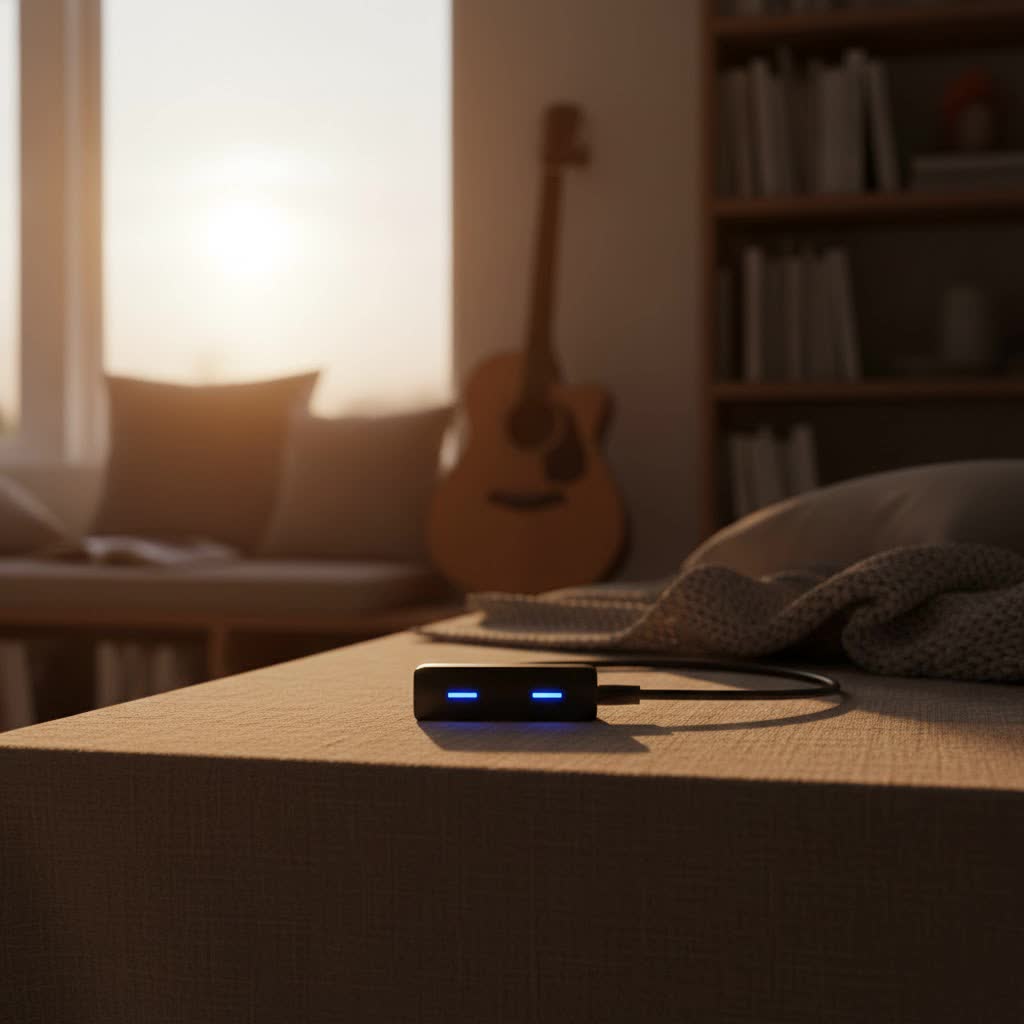
At Qisac.com, we understand the nuances of wireless technology. With over a decade of hands-on experience in Bluetooth dongles, we’re here to guide you through everything you need to know about these essential devices for your PlayStation 4.
What Exactly is a PS4 USB Bluetooth Dongle?
Simply put, a PS4 USB Bluetooth dongle is a small, plug-and-play adapter that inserts into one of your PlayStation 4’s USB ports. Its primary function is to act as a bridge, transforming your console’s audio output into a universally compatible Bluetooth signal. This ingenious device allows you to connect a wide array of Bluetooth headphones and headsets, which the PS4 wouldn’t natively recognize, giving you the freedom to game without wires.
Think of it as giving your PS4 a super-powered Bluetooth upgrade, specifically tailored for audio. It bypasses the console’s inherent restrictions, ensuring that your preferred wireless audio gear can join the action.
Why Can’t I Just Connect My Bluetooth Headphones Directly to PS4?
This is a common question, and it boils down to Bluetooth profiles. While the PS4 does have built-in Bluetooth, it’s primarily designed to connect with its own controllers and a very limited selection of PlayStation-licensed headsets. Sony’s console doesn’t support the generic A2DP (Advanced Audio Distribution Profile) or HSP/HFP (Headset Profile/Hands-Free Profile) protocols for most third-party Bluetooth audio devices. This means that if you try to pair standard Bluetooth headphones directly, the PS4 often won’t recognize them or allow them to function as an audio output.
This is precisely where a dedicated PS4 USB Bluetooth dongle becomes indispensable. It handles these necessary profiles, effectively tricking the PS4 into thinking your wireless headphones are a compatible USB audio device.
Key Features to Look for in a PS4 USB Bluetooth Dongle
Choosing the right ps4 usb bluetooth dongle can make all the difference in your gaming experience. Here’s what you should prioritize:
Low Latency Support: Say Goodbye to Audio Lag
|
Our Picks for the Best Bluetooth Dongle in 2026
As an Amazon Associate I earn from qualifying purchases.
|
||
| Num | Product | Action |
|---|---|---|
| 1 | ASUS USB-BT500 USB Adapter with Ultra Small Design, Bluetooth 5, Backward Compatible with Bluetooth®2.1/3.x/4.x, TAA Compliant (USB-BT500) |

|
| 2 | Ebike Programmable Bluetooth Dongle for Fardriver Controller,Bluetooth Adapter,Compatible with Soleil01 Electric Bicycles |
|
| 3 | Fardriver Programmable Bluetooth Dongle Controller for E-Bike,Programmable Bluetooth Adapter Compatible with Fardriver E Bike |
|
| 4 | Avantree DG45 USB Bluetooth Adapter Dongle for PC, Computer, Desktop & Laptop, Compatible with Windows 11/10/8.1/8 Only - Connects Bluetooth Headphones, Speakers, Keyboards, Mice & Printers (Not 2.4G) |
|
| 5 | Fardriver Programmable Bluetooth Dongle for Fardriver Controller, Bluetooth Adapter Compatible with Fardriver E Bike Programming Module |
|
| 6 | Fardriver Bluetooth Dongle,Programmable Adapter,Bluetooth Dongle for Ebike Controller,Compatible with Fardriver Controller |
|
| 7 | Fardriver Programmable Wireless Adapter Dongle Fardriver Controller Programming Module |
|
| 8 | TP-Link USB Bluetooth Adapter for PC, Bluetooth 5.3 Long Range Receiver, Plug and Play, Adjustable Antenna, Supports Windows 11/10/8.1/7 for Desktop, Laptop, Keyboard, Mouse, etc (UB500 Plus) |
|
| 9 | TP-Link USB Bluetooth Adapter for PC - Bluetooth 5.4 Dongle Receiver, Plug and Play, Nano Design, EDR & BLE, Supports Windows 11/10/8.1/7 for Desktop, Laptop, Keyboard, Mouse, etc (UB500) |
|
| 10 | UGREEN USB Bluetooth 5.3 Adapter for PC, Plug & Play for Windows 11/10/8.1, Bluetooth Receiver & Transmitter for Keyboard/Mouse/Headphone/Speakers/Printer |
|
For gamers, audio lag is a cardinal sin. Imagine hearing footsteps a split second after they happen in a competitive shooter – it could cost you the match! Look for dongles that support “aptX Low Latency” or similar codecs. These technologies significantly reduce the delay between the audio leaving your PS4 and reaching your ears, ensuring your sound is perfectly synchronized with the on-screen action. This feature is absolutely crucial for an immersive and competitive gaming experience.
Plug-and-Play Design: Simplicity at Its Best
Nobody wants to deal with complicated driver installations or intricate setup processes. A truly great ps4 usb bluetooth dongle should be “plug-and-play.” This means you simply insert it into a USB port, pair your headphones, and you’re ready to go. Look for devices that offer straightforward pairing without the need for additional software or configuration on your PS4.
Microphone Support: Stay Connected with Teammates
Many gamers rely on voice chat to coordinate with their squad. While some generic Bluetooth dongles only transmit audio, dedicated PS4 adapters often include microphone support. This usually comes in two forms:
- Integrated Mic Support: Some advanced dongles function as a “transceiver,” handling both audio input and output.
- Separate Mic Jack: More commonly, the dongle handles audio output, and a small, included microphone plugs into your PS4 controller’s 3.5mm jack for voice input. Ensure the dongle you choose specifies its microphone capabilities if team communication is important to you.
Wide Compatibility: Your Headphones, Your Rules
The goal of a ps4 usb bluetooth dongle is to expand compatibility. Ensure the adapter you select is broadly compatible with various Bluetooth headphone brands and models. While most dongles work with standard Bluetooth audio devices, checking reviews or product specifications for known compatibility with popular gaming headsets is always a good idea. Some dongles even boast compatibility with other platforms like PC, Mac, or Nintendo Switch, adding to their versatility.
Extended Wireless Range: Freedom to Move
A standard Bluetooth range is typically about 10 meters (33 feet). For a gaming setup, this is usually sufficient. However, if you game in a larger room or tend to move around, a dongle with an extended range can provide more flexibility. Look for specifications that mention a robust and stable connection even at greater distances.
Bluetooth Version: Keeping Up with Technology
While newer Bluetooth versions (like 5.0, 5.2, or 5.3) offer improvements in power efficiency, range, and data transfer speeds, a Bluetooth 4.0 or 4.2 dongle is often perfectly adequate for PS4 audio, especially with aptX Low Latency support. Higher versions are beneficial but prioritize low latency and plug-and-play functionality above all for PS4 gaming.
Top PS4 USB Bluetooth Dongle Recommendations
Based on our extensive experience and market analysis, a few brands consistently stand out for their performance and reliability with the PS4.
- Avantree: Renowned for their focus on low latency audio, Avantree offers models like the Avantree Leaf and DG80. These often feature Qualcomm chips to ensure superior audio quality and stable connections. They are typically plug-and-play and highly recommended for gamers.
- Creative: The Creative BT-W3 is another strong contender, known for its dual-mode capabilities and aptX Low Latency support, making it suitable for both PS4 and PC gaming.
- Generic USB 4.0/5.0 Adapters: Many affordable, reputable brands offer basic USB Bluetooth 4.0 or 5.0 dongles that, when combined with the right PS4 settings, can provide a functional wireless audio experience. Just ensure they are explicitly advertised for PS4 audio or as a USB sound card for best results.
Remember, the “best” dongle depends on your specific needs, particularly concerning microphone support and budget.
Step-by-Step Guide: Setting Up Your PS4 USB Bluetooth Dongle
Getting your new ps4 usb bluetooth dongle up and running is usually a straightforward process. Here’s a general guide:
1. Plug in the Dongle
Locate an available USB port on your PlayStation 4 console (typically on the front). Simply insert your PS4 USB Bluetooth dongle firmly into the port. Some dongles may have a small LED light that will illuminate or blink, indicating it’s powered on.
2. Prepare Your Bluetooth Headphones
Turn on your Bluetooth headphones and put them into pairing mode. The exact method varies by headphone model, but it usually involves holding down a power or dedicated pairing button for a few seconds until an indicator light starts flashing rapidly (often blue or red/blue). Consult your headphone’s manual if you’re unsure.
3. Pair the Devices
Many dongles will automatically enter pairing mode when plugged in. If your dongle has a button, you may need to press it to initiate pairing. Keep your headphones relatively close to the dongle during this step. They should automatically detect each other and connect. Once connected, the lights on both your dongle and headphones will typically change to a solid color or a slow pulse, confirming a successful link.
4. Adjust PS4 Audio Settings
Now it’s time to tell your PS4 where to send the audio:
- From the PS4’s main menu, navigate to Settings.
- Scroll down and select Devices.
- Choose Audio Devices.
- For Output Device, select your USB headset (it might appear as “USB Headset,” “USB Audio,” or the dongle’s brand name).
- For Output to Headphones, make sure All Audio is selected. This routes all game and chat audio through your connected headphones.
- If you’re using a separate microphone plugged into your controller, ensure Input Device is set to “Headset Connected to Controller.” You can also adjust the microphone level here.
Once these settings are applied, you should hear all PS4 audio coming through your wireless headphones!
Troubleshooting Common PS4 USB Bluetooth Dongle Issues
Even with the best equipment, sometimes things don’t go perfectly. Here are solutions to common problems:
No Sound / Device Not Detected
- Re-plug and Restart: Unplug the dongle, restart your PS4, and then plug the dongle back in.
- Re-pair: Put both the dongle and your headphones back into pairing mode and try to connect again.
- Check Settings: Double-check your PS4 Audio Devices settings as outlined above. Ensure the correct “Output Device” is selected.
- Dongle Compatibility: Confirm the dongle is specifically designed to work as a USB audio device for PS4, not just a generic data Bluetooth adapter.
Audio Lag
- Low Latency Dongle: If you’re experiencing noticeable lag, your dongle might not support a low-latency codec. Consider upgrading to one with aptX Low Latency.
- Interference: Move closer to your PS4 and dongle, or try to minimize other wireless devices (Wi-Fi routers, other Bluetooth devices) in the immediate vicinity.
Microphone Not Working
- Dongle Support: Verify if your ps4 usb bluetooth dongle is designed to support microphone input, or if it requires a separate mic plugged into the controller.
- PS4 Input Device Settings: Ensure your PS4’s “Input Device” in Audio Devices is correctly set (e.g., “Headset Connected to Controller” if using a controller-plugged mic).
- Headset Mic: Confirm your headset’s microphone isn’t muted or disabled by a physical button on the headset itself.
Interference or Connection Drops
- Distance and Obstacles: Stay within the recommended range of your dongle. Walls and other solid objects can degrade signal quality.
- USB Port Interference: Try a different USB port on your PS4. Sometimes, proximity to other USB devices can cause minor interference.
- Firmware Update: Check if your dongle or headphones have any available firmware updates from their manufacturers.
Expert Insights from Qisac.com
“The right PS4 USB Bluetooth dongle isn’t just an accessory; it’s an investment in immersion,” explains Alex Chen, our lead Bluetooth Dongle specialist at Qisac.com. “From crisp footsteps in a stealth game to the thunderous roars of a boss battle, lag-free wireless audio can transform your entire gaming world. It’s about more than just convenience; it’s about competitive edge and pure, unadulterated enjoyment.”
FAQs about PS4 USB Bluetooth Dongles
Can I use any USB Bluetooth dongle with my PS4?
No, unfortunately not. While many USB Bluetooth dongles exist, the PS4 requires a dongle that functions specifically as a USB audio device or supports the necessary audio profiles (like A2DP, HSP, HFP) and often low-latency codecs. Generic data-only Bluetooth adapters typically won’t work for audio.
Do PS4 Bluetooth dongles support microphones?
Some advanced PS4 USB Bluetooth dongles support both audio output and input (transceiver functionality). More commonly, the dongle handles wireless audio output, and you might need to use a separate microphone plugged into your PS4 controller’s 3.5mm jack for voice chat. Always check the product specifications for microphone compatibility.
What is “low latency” and why is it important for gaming?
Low latency refers to a minimal delay in audio transmission. In gaming, it’s crucial because it ensures that what you hear is perfectly synchronized with what you see on screen. High latency can lead to audio lag, making games feel unresponsive and potentially affecting your performance, especially in fast-paced or competitive titles.
Will a ps4 usb bluetooth dongle work with PS5?
Many PS4-compatible USB Bluetooth dongles, especially those that function as generic USB audio devices, will also work with the PlayStation 5. However, it’s always best to check the dongle’s product page or manufacturer’s website for explicit PS5 compatibility to ensure full functionality.
How far can I be from my PS4 with a dongle?
Most PS4 USB Bluetooth dongles offer a standard wireless range of about 10 meters (33 feet). This range can be affected by physical obstacles like walls, furniture, and interference from other wireless devices. For optimal performance, it’s best to stay within this range and have a clear line of sight.
Conclusion
Embracing a PS4 USB Bluetooth dongle is a simple yet powerful way to elevate your PlayStation 4 gaming. By bypassing the console’s native Bluetooth limitations, you can enjoy the freedom and convenience of wireless audio, using your favorite headphones without compromise. From crucial low-latency performance to straightforward setup and versatile compatibility, the right ps4 usb bluetooth dongle transforms your gaming soundscape.
Ready to cut the cords and dive into an even more immersive world? Explore the options, pick the dongle that fits your needs, and experience gaming audio as it was meant to be – clear, immediate, and completely wireless. Visit Qisac.com for more in-depth reviews and expert advice on optimizing your Bluetooth dongle experience!
